


AITO M5 Infotainment Review: Huawei Prioritizes HarmonyOS Ecosystem Over Driving Efficiency
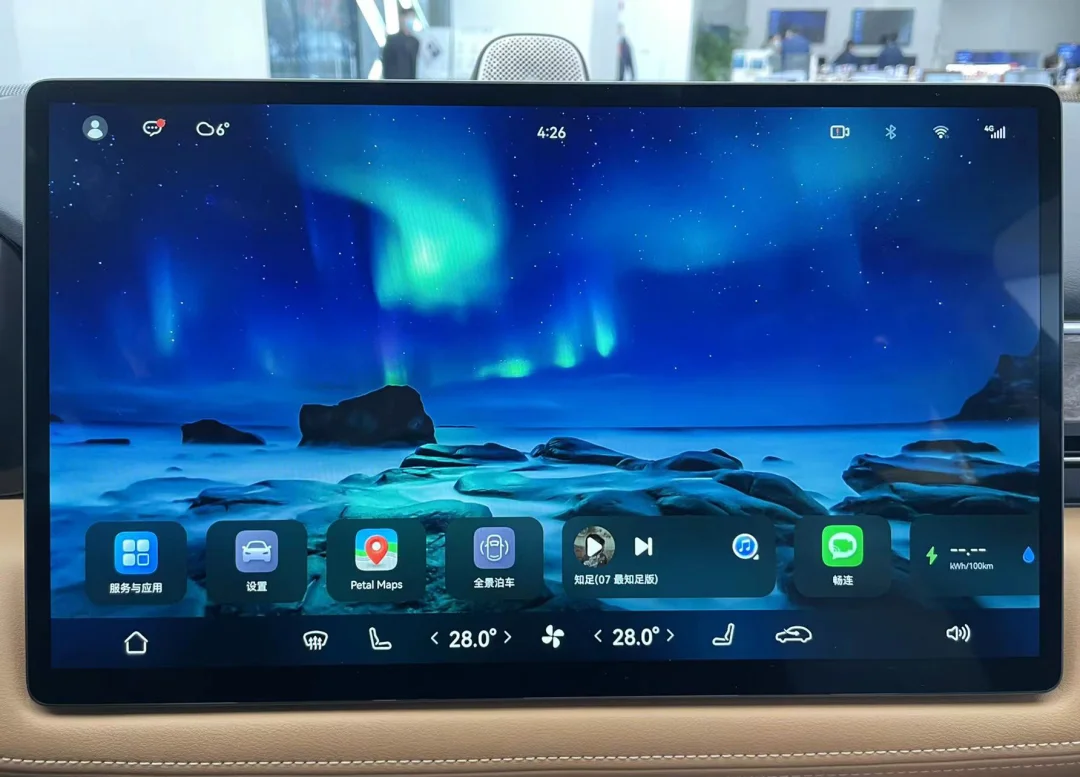
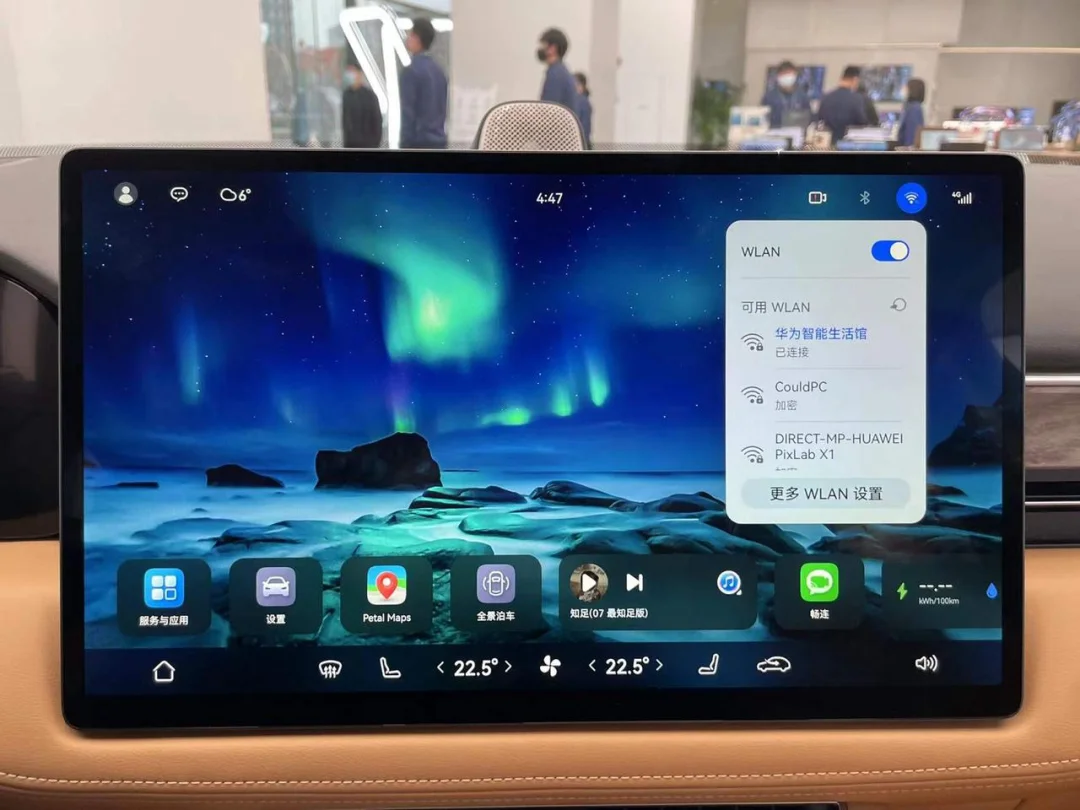
The first thing you notice about the AITO M5’s infotainment system is its distinctiveness. It is difficult to find another vehicle interface on the market that reserves such a large amount of blank space on the main screen. Effective information display area accounts for less than 40%, with the remaining area occupied by wallpapers. Covering the climate control buttons in the bottom control bar, the interface looks no different from a tablet.
01The True In-Car 'Large Tablet'
In the relatively confined scenario of an automotive cockpit, no one stares at the wallpaper on the infotainment screen while driving. The interface layout design of most vehicle systems serves driving needs; therefore, they typically place map and music functions in the most prominent positions on the main screen, or even use the map as the background. Tesla, NIO, XPENG, and other automakers follow this approach.
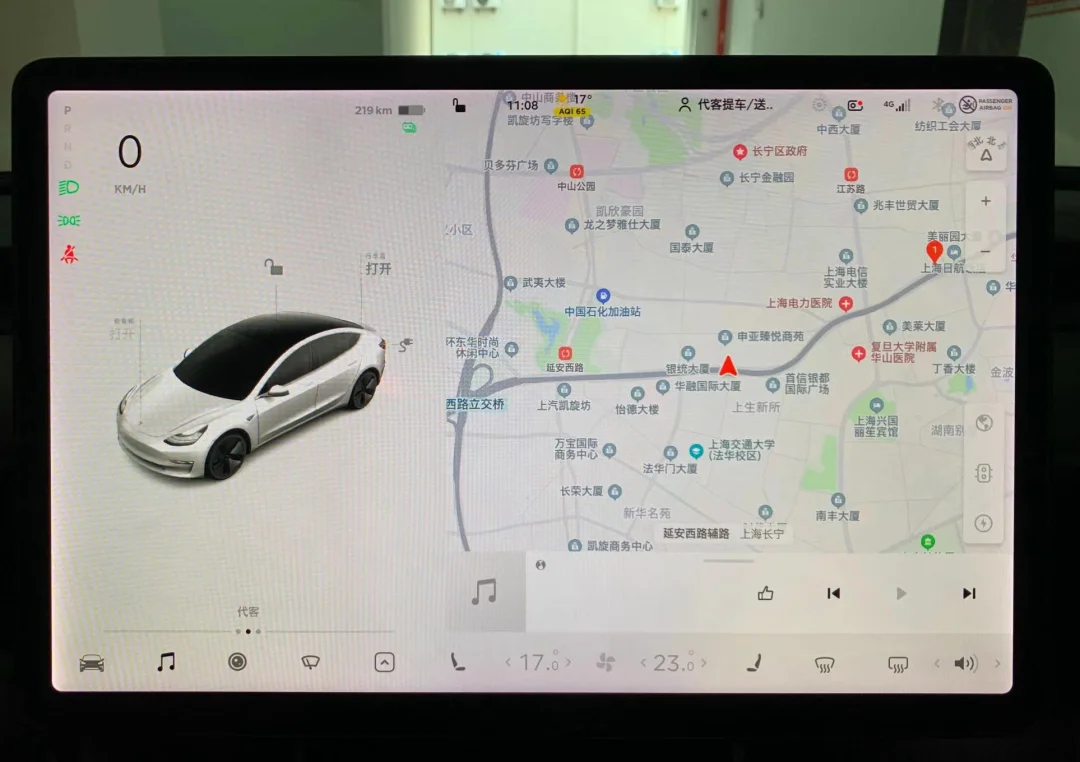
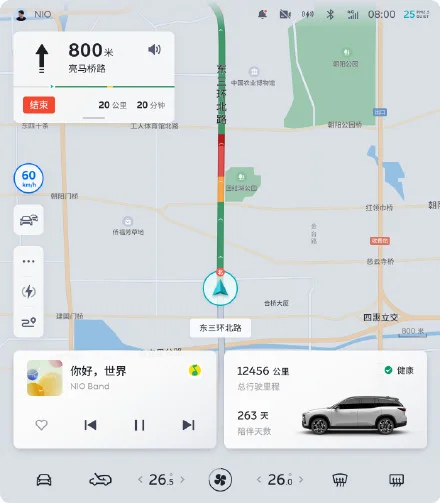
This layout method for the AITO M5 adds an extra step when navigating: opening the map app. So why did Huawei choose to increase user operation steps? This may be related to Huawei's definition of this screen.
In Huawei's view, this screen is not just a traditional vehicle display or a controller for adjusting functions, but one of the important entry points to the Hongmeng ecosystem.
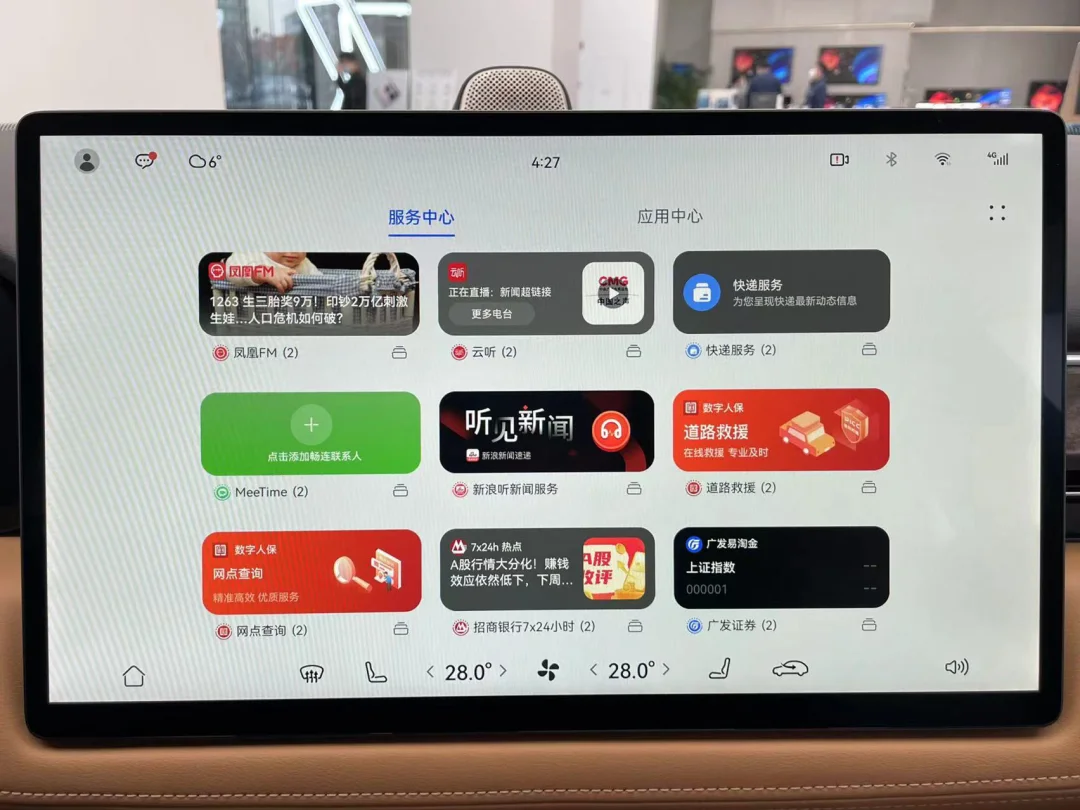
Huawei envisions this screen leveraging the Hongmeng ecosystem and user accounts to fulfill all in-car needs. It expects users not only to navigate, listen to music, and watch videos, but also to control smart home devices, order food, read news, make video calls, view PowerPoint presentations, request roadside assistance, check stock prices, and monitor weather conditions.
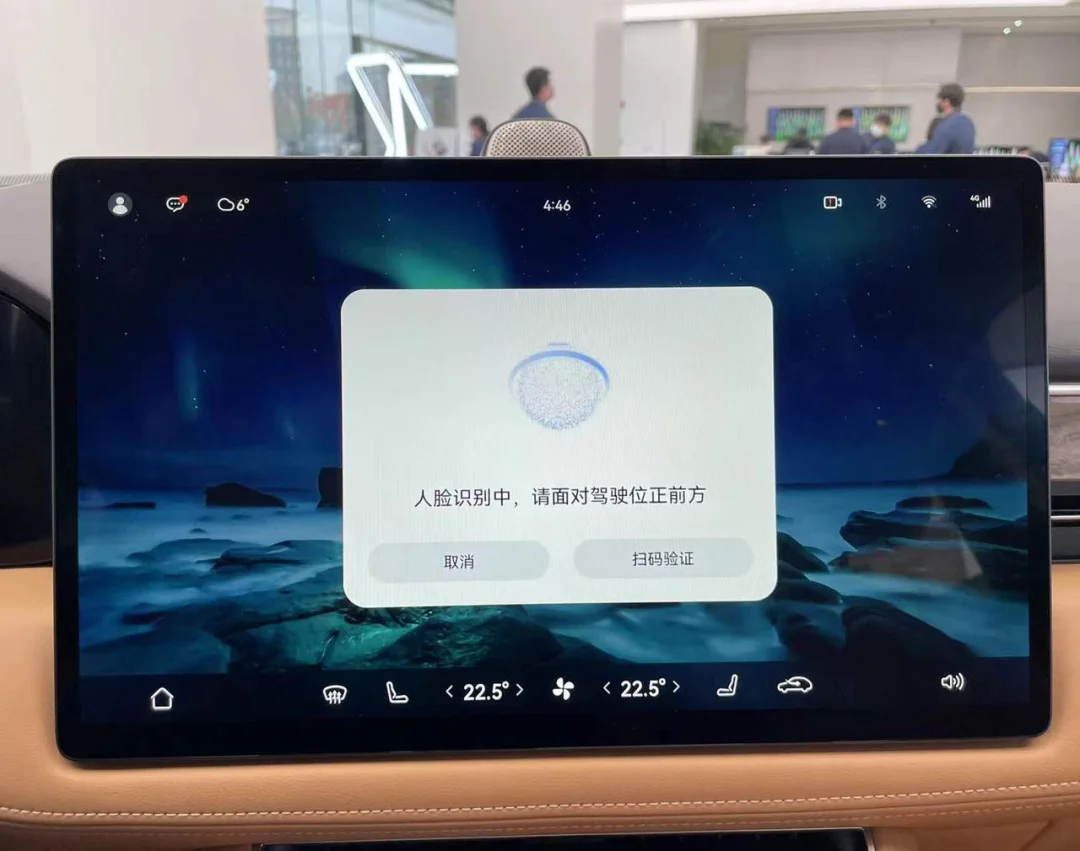
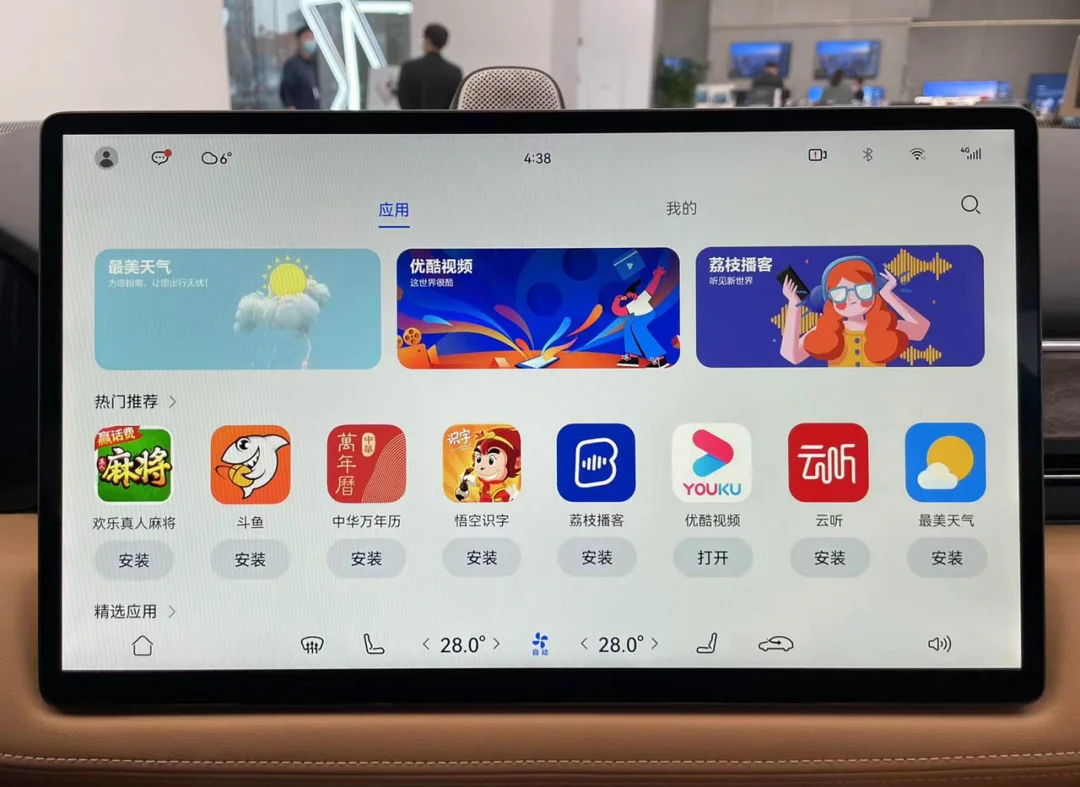
Relying solely on Huawei’s own apps would be impractical for such extensive functionality; therefore, the Hongmeng vehicle OS app store is likely to host the largest selection of third-party applications among car infotainment systems. Beyond standard apps, numerous service widgets are available for user selection, offering a level of third-party service richness unseen on other vehicle displays.
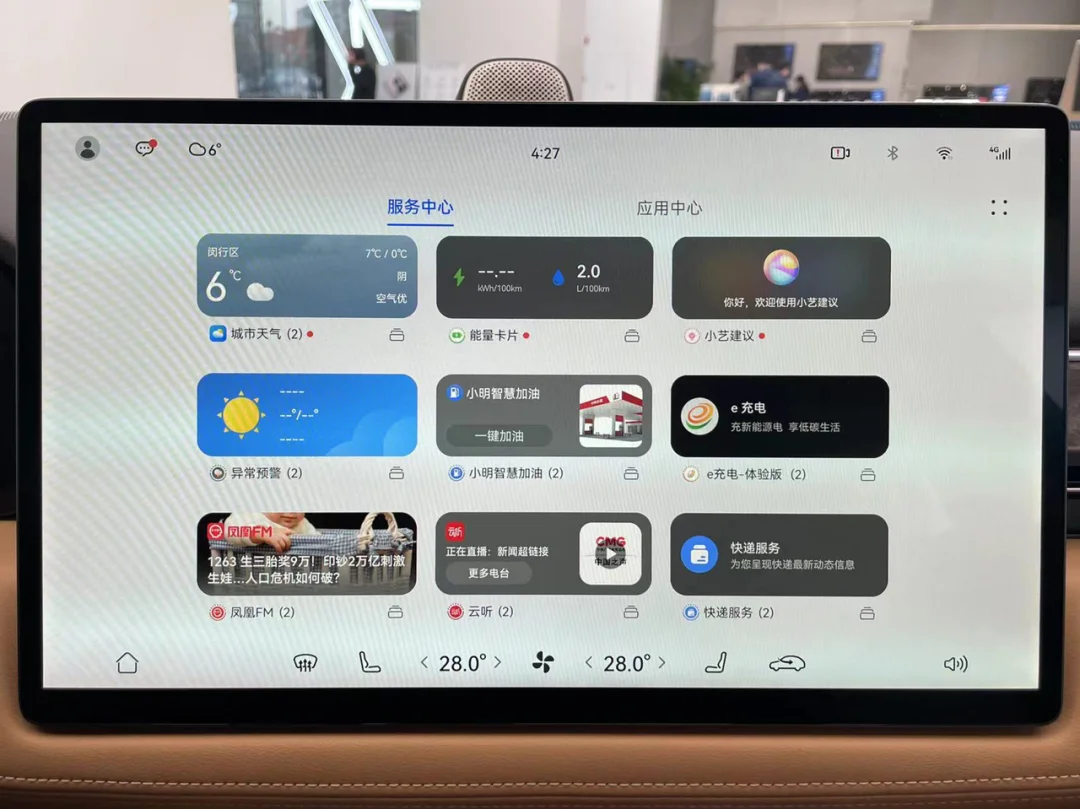
When a single screen must accommodate such a wide array of functions, allowing maps and music to dominate the majority of the home interface becomes unreasonable. This layout design effectively reserves space for future applications that will be listed in the app store.
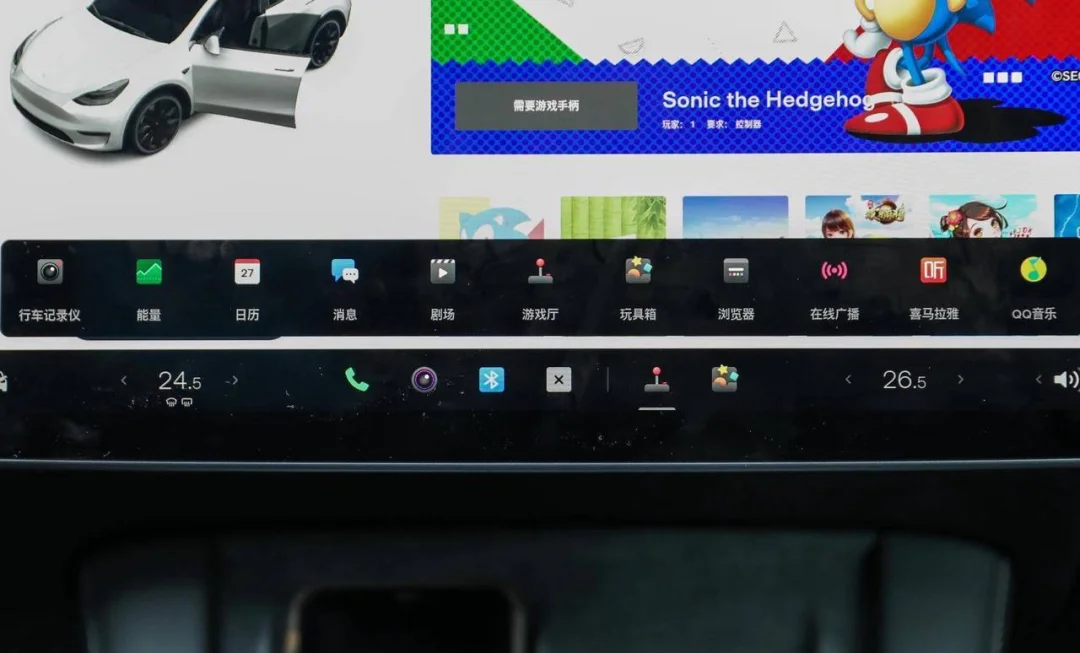
Coincidentally, Tesla’s V11 infotainment update released for Christmas allows users to pin frequently used apps to the Dock bar for quick access. As third-party apps on vehicle screens become more common, the Dock bar is likely to become the standard.
02The 'Fake Split-Screen' That Can't Be Operated
While driving, it is often necessary to view navigation while performing other tasks. To meet this need, Huawei ported the split-screen functionality from its tablets directly to the vehicle's infotainment system. When navigation is active and another app is opened, the split-screen mode activates automatically, dividing the screen into two sections to display the map and the other application simultaneously.
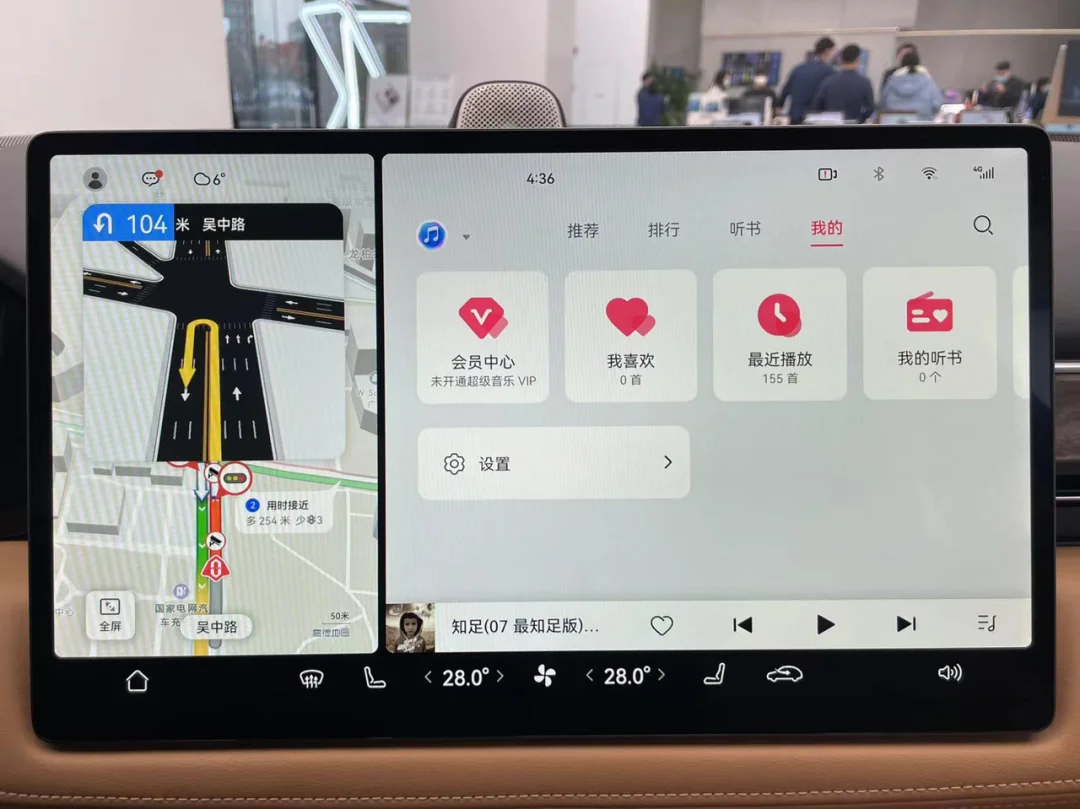
However, for some reason, the map application cannot be operated in split-screen mode. Users must first click the full-screen button in the bottom-left corner to regain control. This is inconvenient and defeats the original purpose of simultaneous operation. Since the current version is not yet a production release, it remains unclear whether this is a bug or a design flaw.
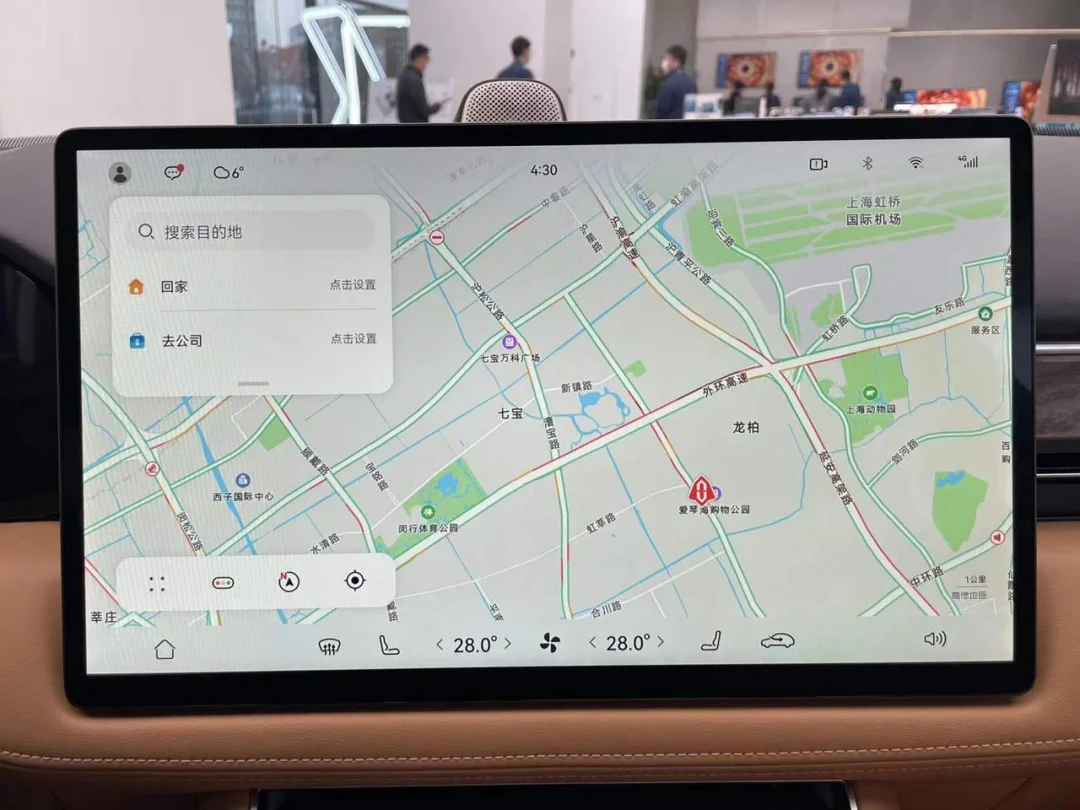
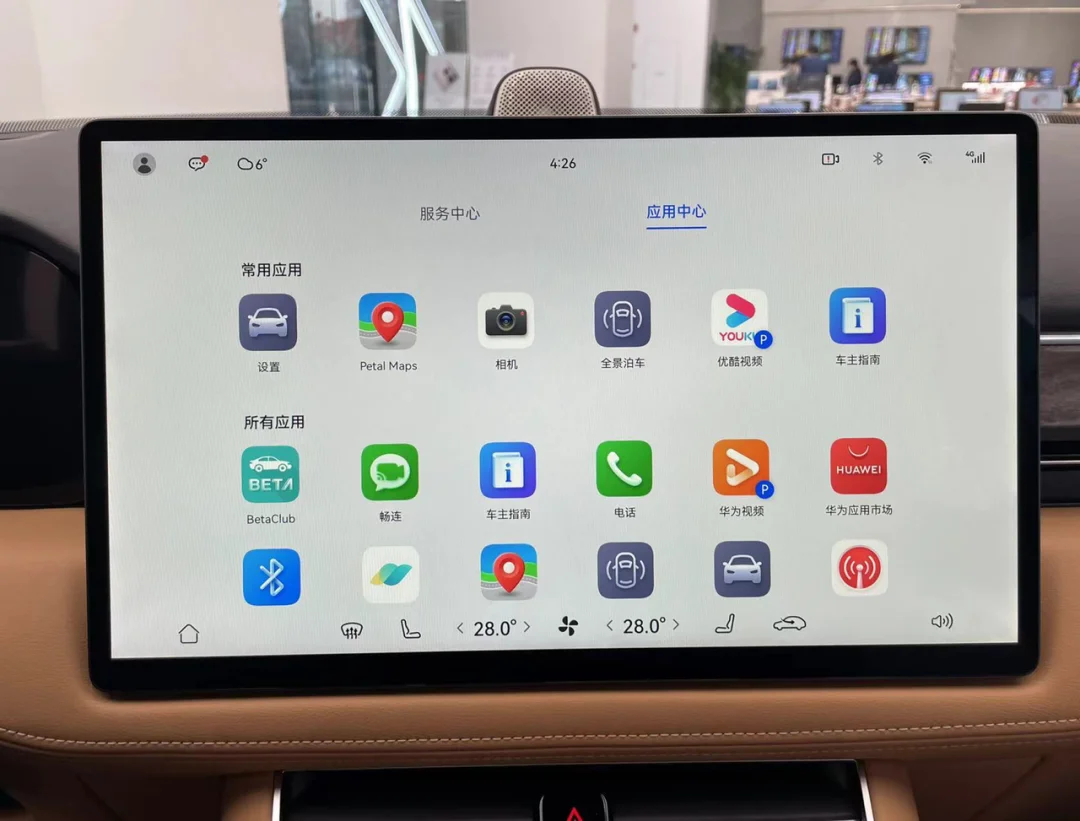
Compared to other infotainment systems that offer simultaneous display solutions, the advantage of split-screen is that it supports almost any combination of apps. With the exception of icons marked with a 'P'—which indicate apps that can only be opened when the vehicle is in Park—nearly all applications can be launched in split-screen mode.
For example, you can make video calls while driving, directly using the vehicle's interior and exterior cameras to share the inside of the car and the scenery outside.
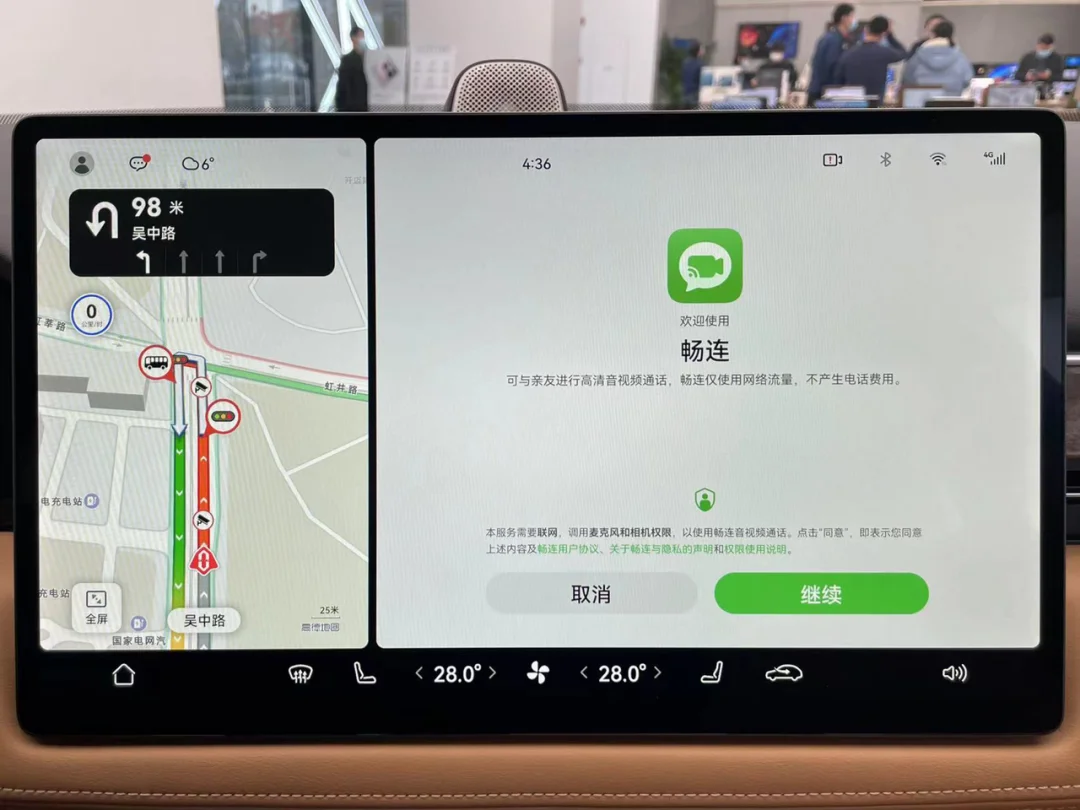
The split-screen function divides the display into two rectangular areas. The screen aspect ratios for the app in full-screen and split-screen modes correspond to those of tablets and smartphones, respectively. Developers only need to make minor adjustments to UI layouts originally designed for phones and tablets to adapt them for automotive head units, significantly reducing the workload for app adaptation.
03Clear Privacy Management Items
While we enjoy the convenience brought by smart cars, we are also bearing the risk of privacy leakage. The location information left when using navigation in the car, image data captured by the interior cameras, contact list information obtained via Bluetooth connection to mobile phones, and conversations inside the vehicle—all of these could lead to unimaginable consequences if leaked. With the increasing number of third-party apps on the infotainment system, there is an urgent need for a comprehensive permission management system.
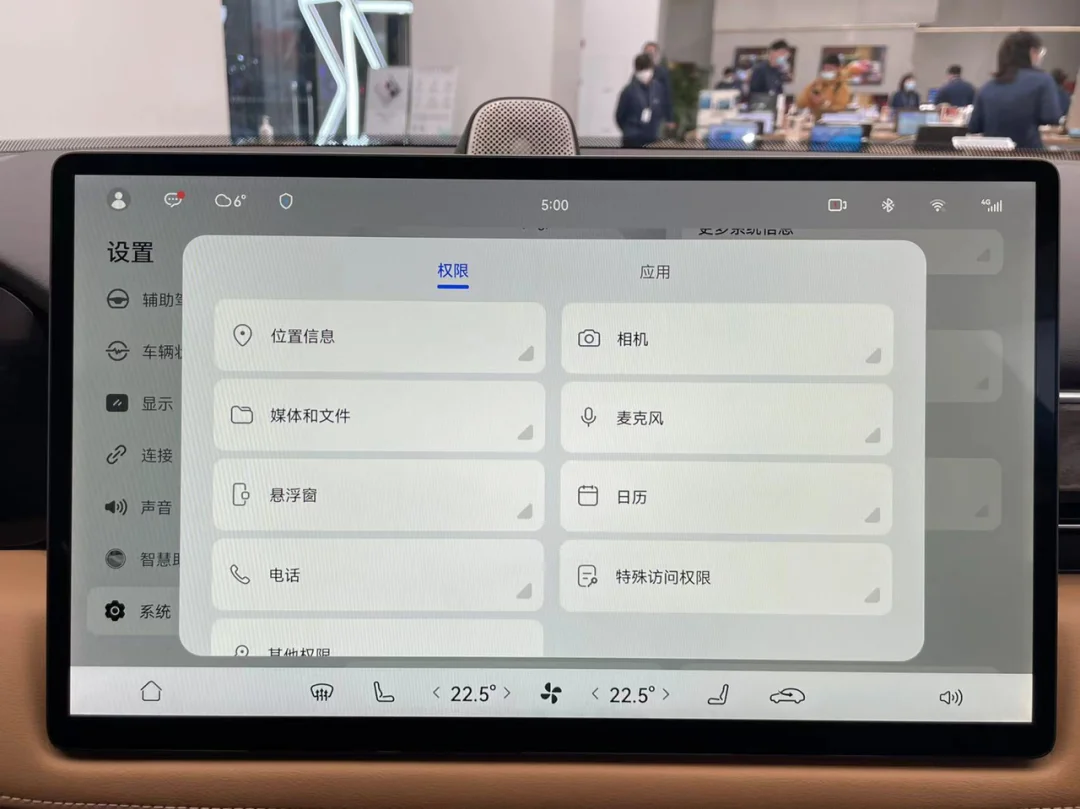
The permission management system on the AITO M5 is highly similar to that on Hongmeng phones. It offers comprehensive monitoring of various permission types, including the most closely watched ones such as location information, camera access, and microphone usage. Clicking on an option allows users to intuitively view all apps that are permitted to use that specific permission.
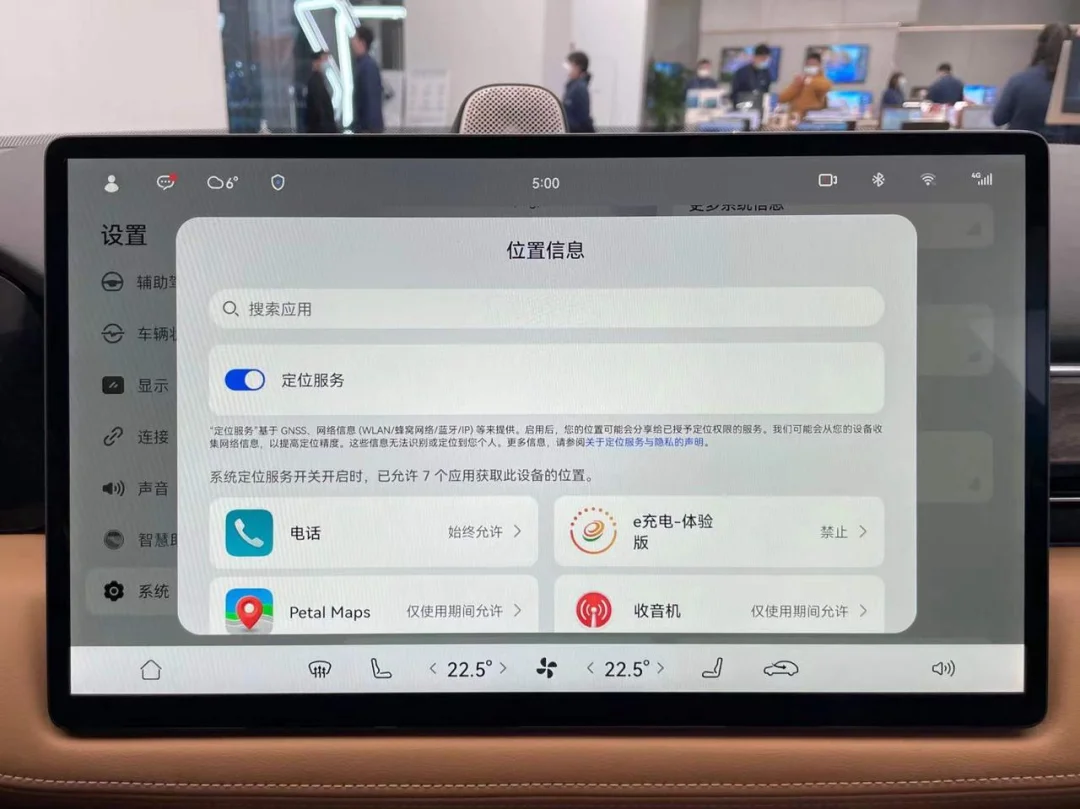
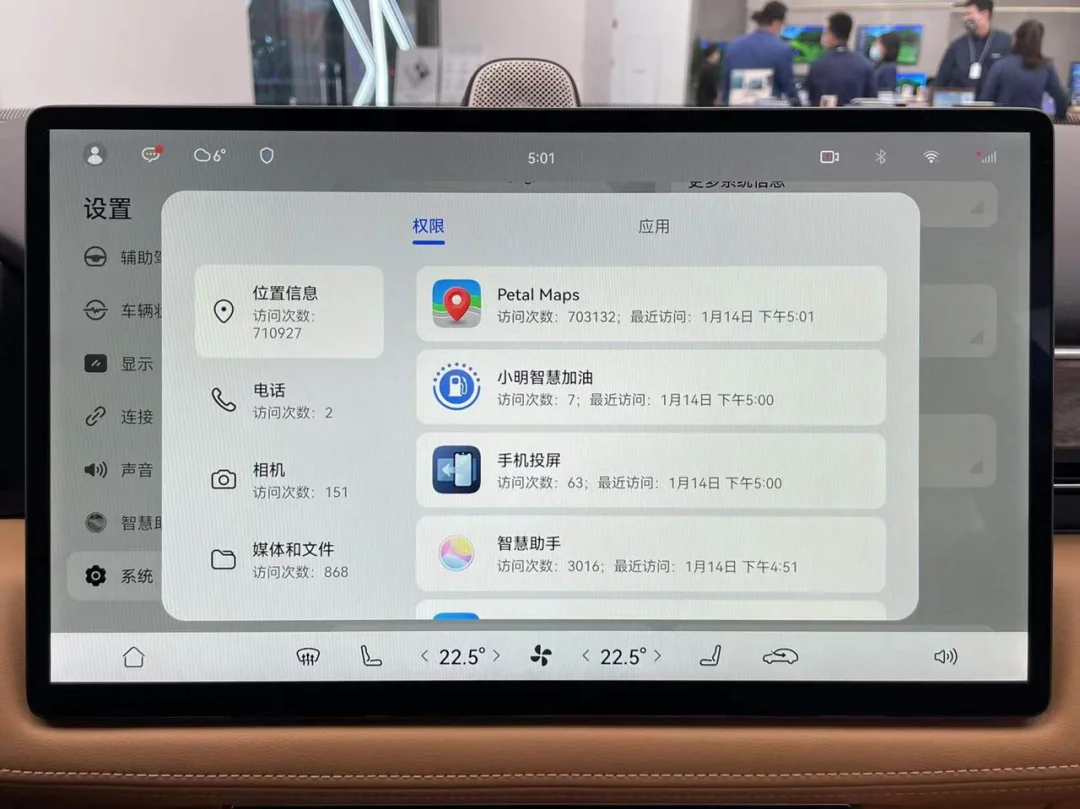
You can also configure permission settings for each app, and view the frequency and duration of their usage.
04Making This Infotainment System Intuitive for Middle-Aged Users
Among Huawei’s user base, there are many loyal older consumers with strong purchasing power and high brand loyalty. With the AITO M5 priced near RMB 300,000, Huawei has invested considerable effort to help this demographic learn how to use the infotainment system.
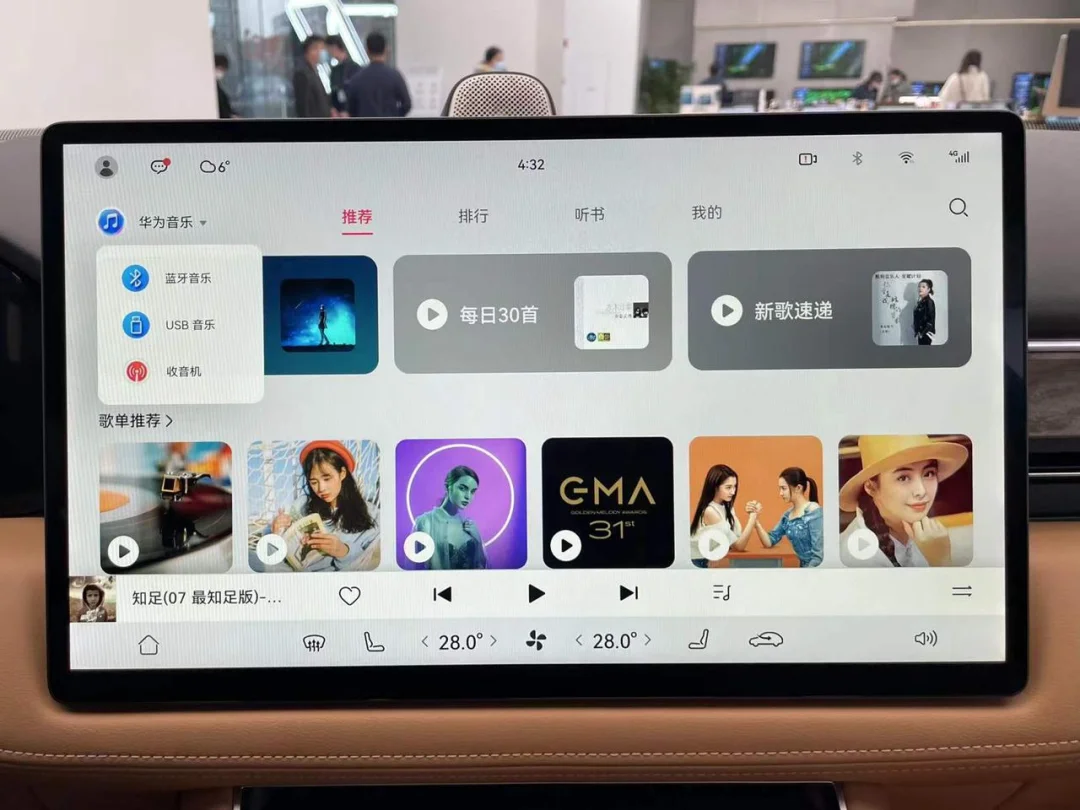
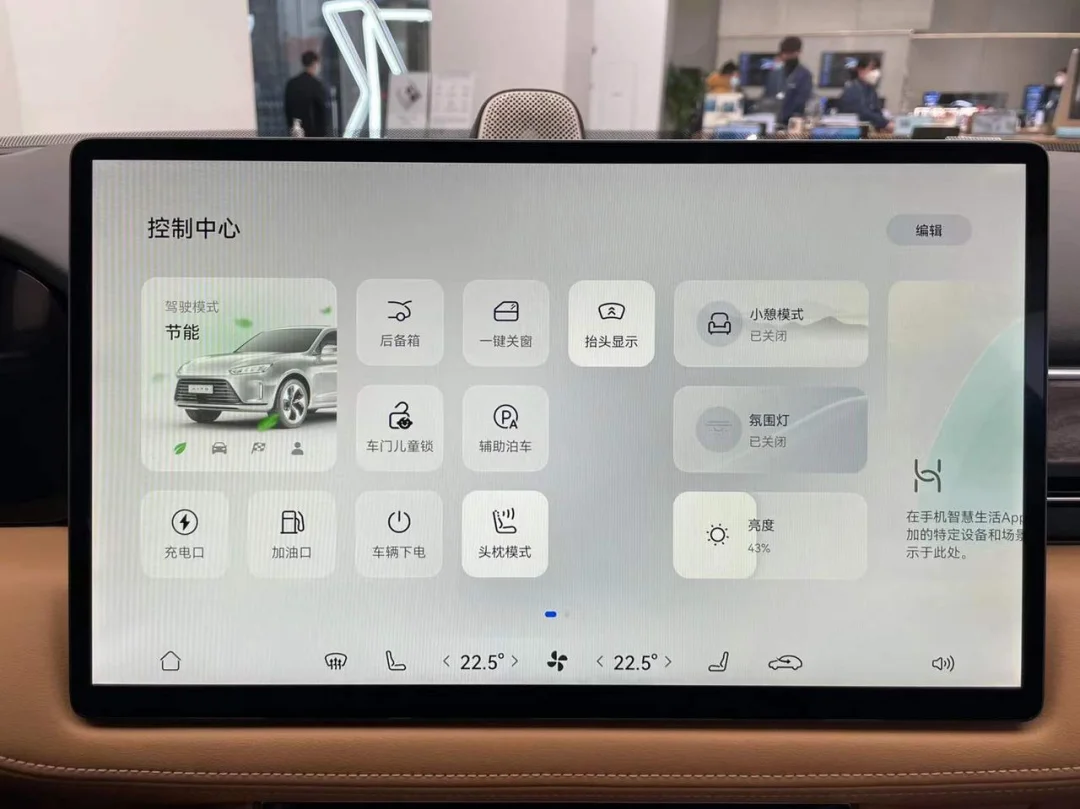
The interface design of several official Huawei apps mirrors mobile layouts almost exactly. The vehicle settings menu retains a distinct Huawei aesthetic, with all options clearly categorized under primary headings. The most frequently used toggles are presented as large, easy-to-tap tiles on the first page of the settings screen.
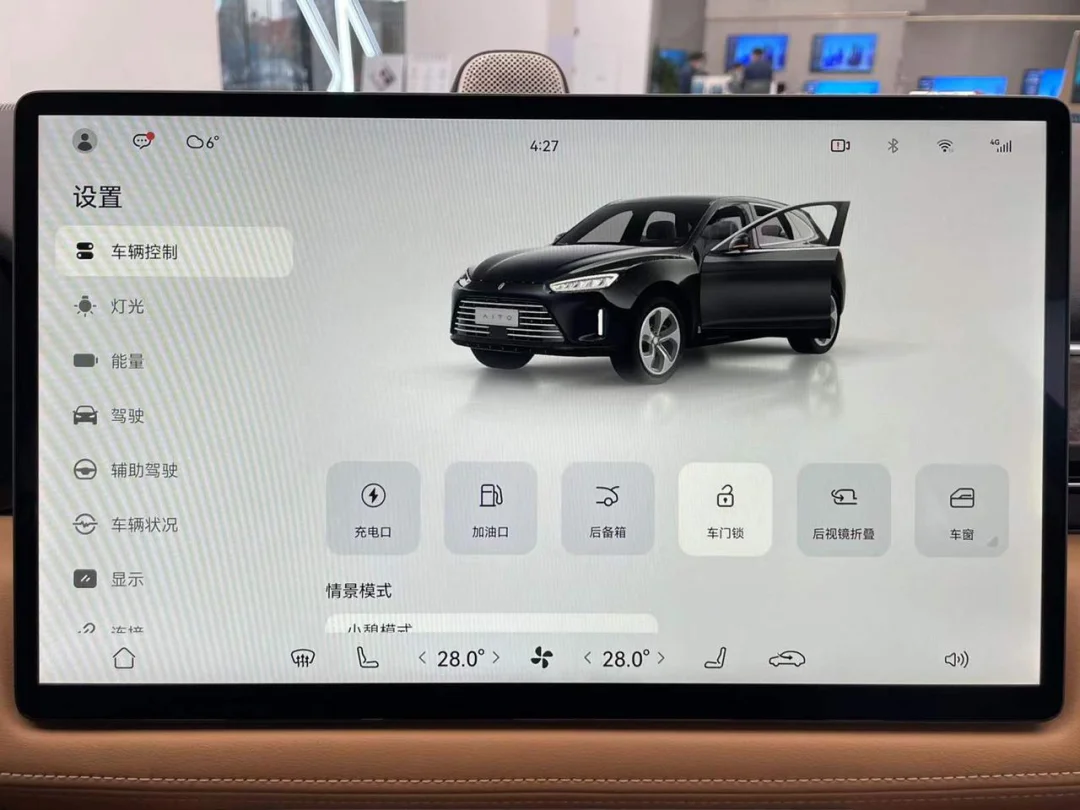
For less common options, Huawei provides annotations and diagrams alongside them to minimize comprehension barriers.
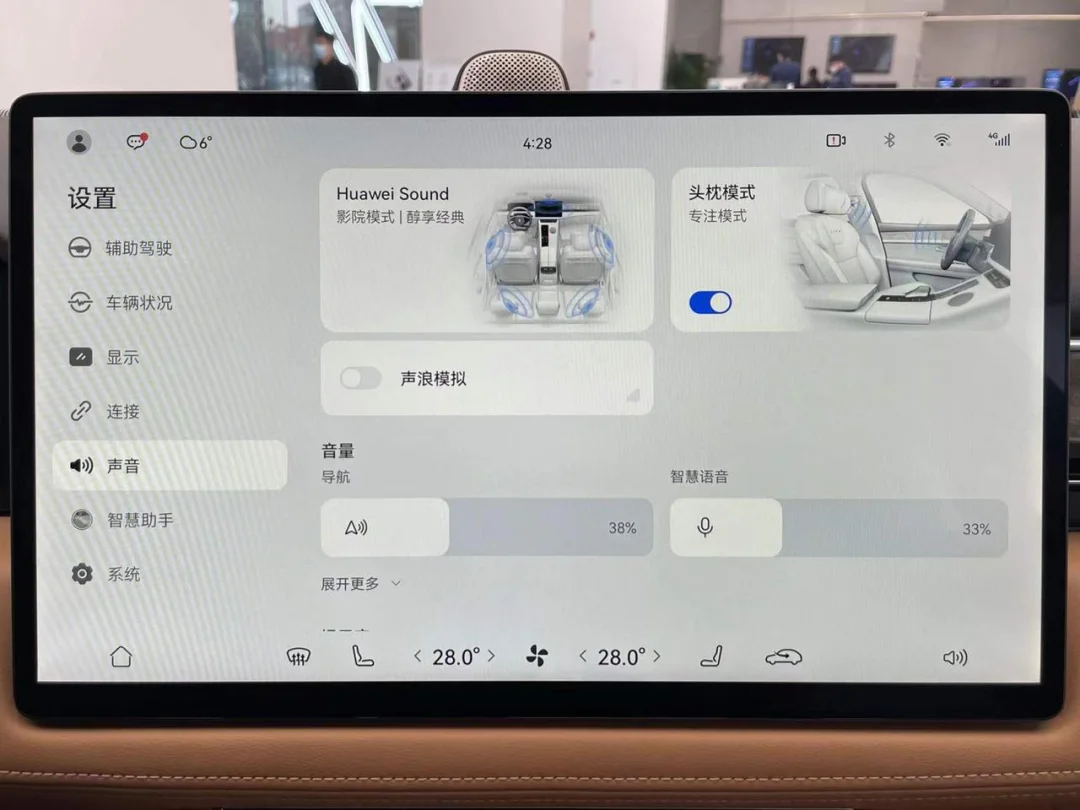
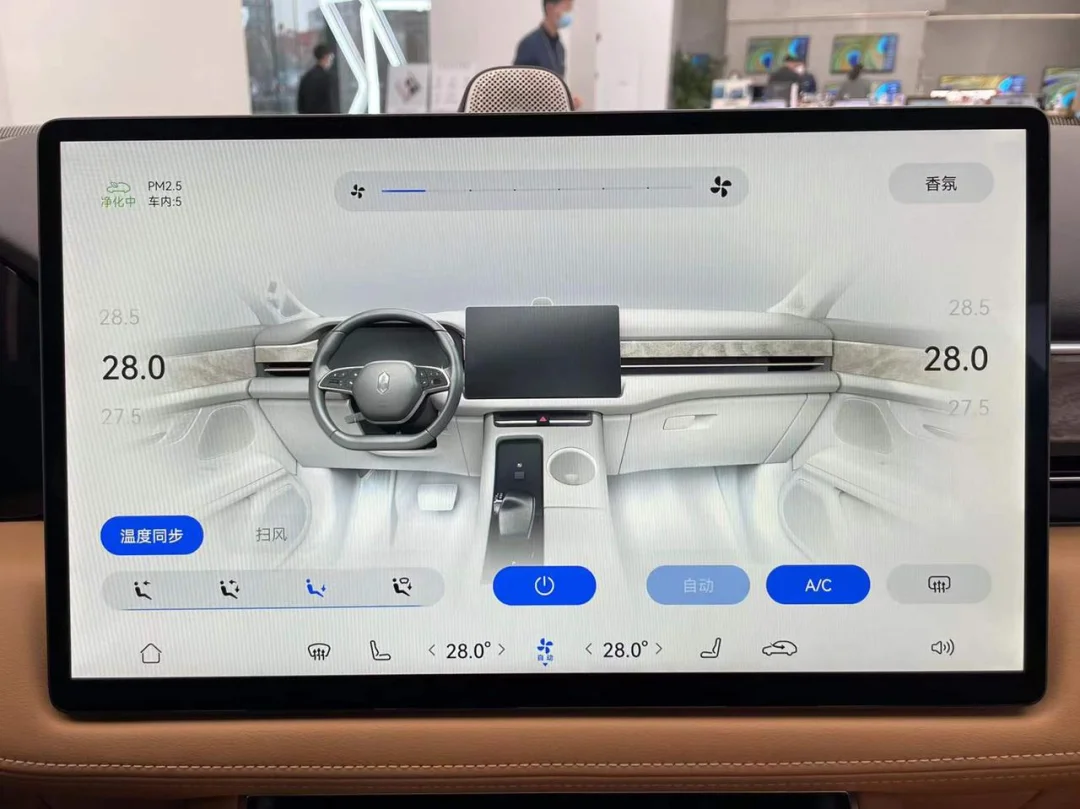
The 3D model and Chinese-language buttons on the climate control interface allow first-time users to quickly grasp its operation logic.
All icons at the top are interactive; tapping them enables quick settings access.
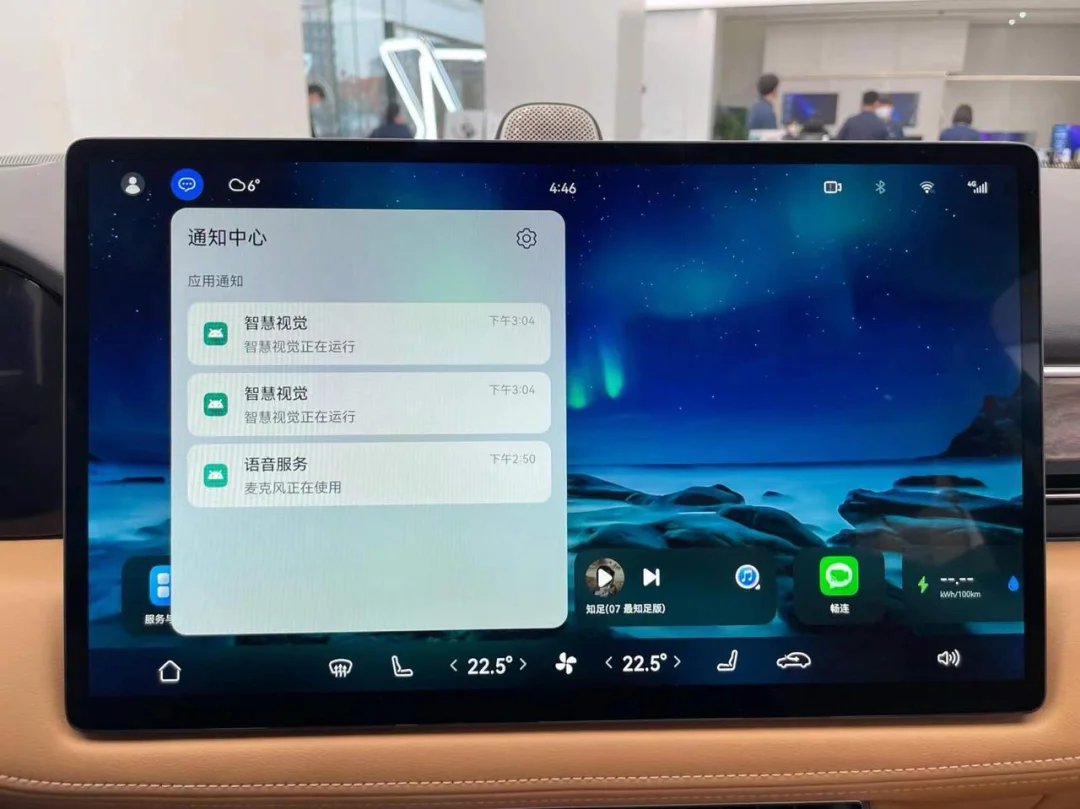
Sliding down from the far right opens the Control Center, which contains multiple quick-setting toggles and controls for Huawei Smart Home.
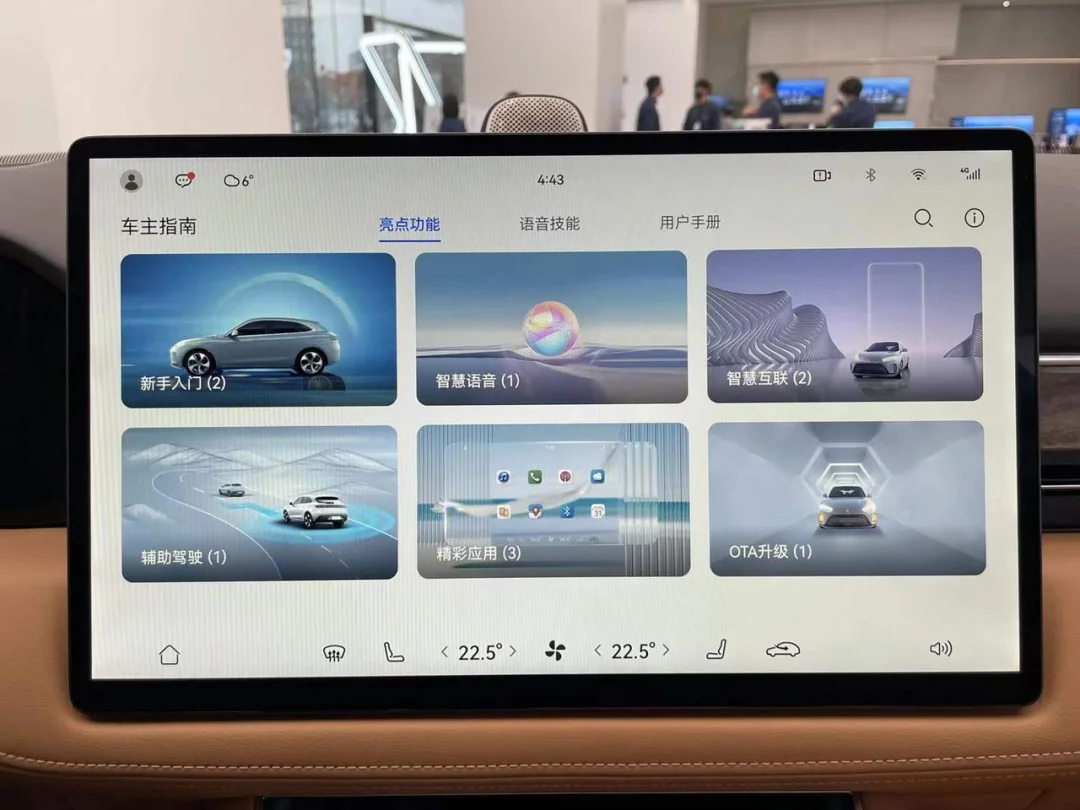
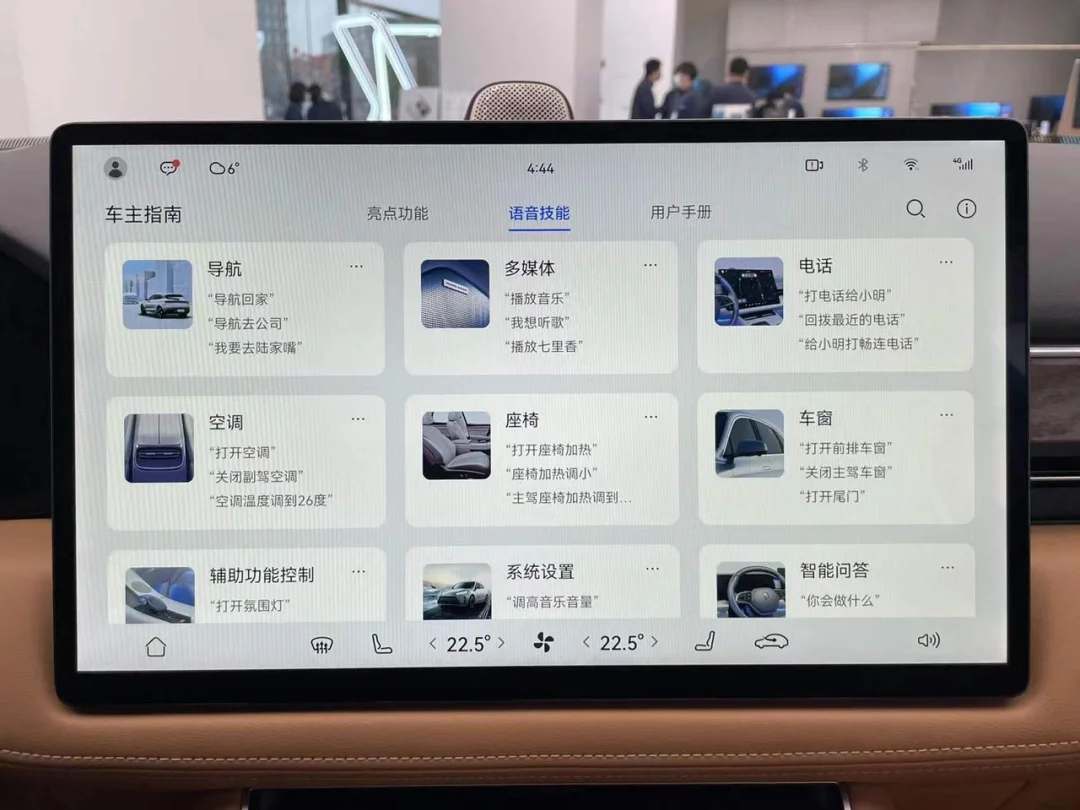
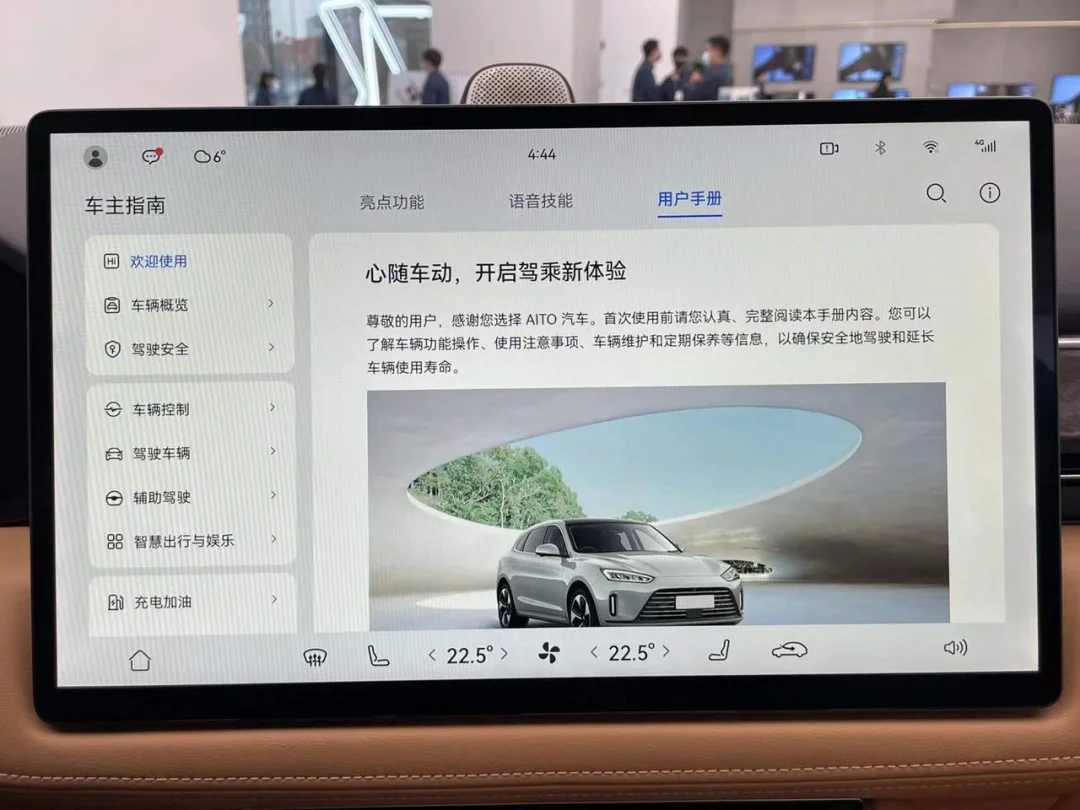
For users with no prior experience using smart devices, Huawei has included a Car Owner Guide app in the infotainment system. This guide provides comprehensive instructions on how to operate the interface and highlights its key features.
05Summary
After experiencing the Hongmeng infotainment system in the AITO M5, I observed Huawei’s distinct approach to interface layout compared to other automakers. Most manufacturers prioritize absolute efficiency for driving scenarios, placing the three most critical pieces of information—navigation, music, and vehicle status—in prominent positions on the main screen. Huawei, however, seeks a balance across different usage scenarios by treating functions like navigation and music as apps that are opened only when needed.
This difference in philosophy is the root cause of the various distinctions between the Hongmeng system and other infotainment platforms.
These two layout strategies reflect the companies’ current situations. The Hongmeng system benefits from a powerful ecosystem inherited from smartphones. Its atomic services allow users to access functionality without installing dedicated apps, a model well-suited for car interfaces where few developers create specific adaptations. In contrast, automakers like Tesla and XPENG lack such extensive developer support. They rely entirely on their own resources to build core features and therefore have no need to reserve significant interface space for third-party apps.
At present, the importance of in-vehicle infotainment ecosystems has not yet fully materialized, and consumer expectations remain largely confined to basic functions. However, from a device perspective, car screens offer absolute advantages over smartphones, including larger displays, superior audio-visual performance, and more precise satellite positioning. As in-car functionalities become increasingly sophisticated, integrating third-party developers will inevitably become a standard path for every automaker. AITO M5 has already presented its own answer to the challenge of balancing quality and control between first-party and third-party services.
Written by: Kaixiang Edited by: Reinhardt