


First Look at LYNK OS N: Lynk & Co's First Step in Intelligence
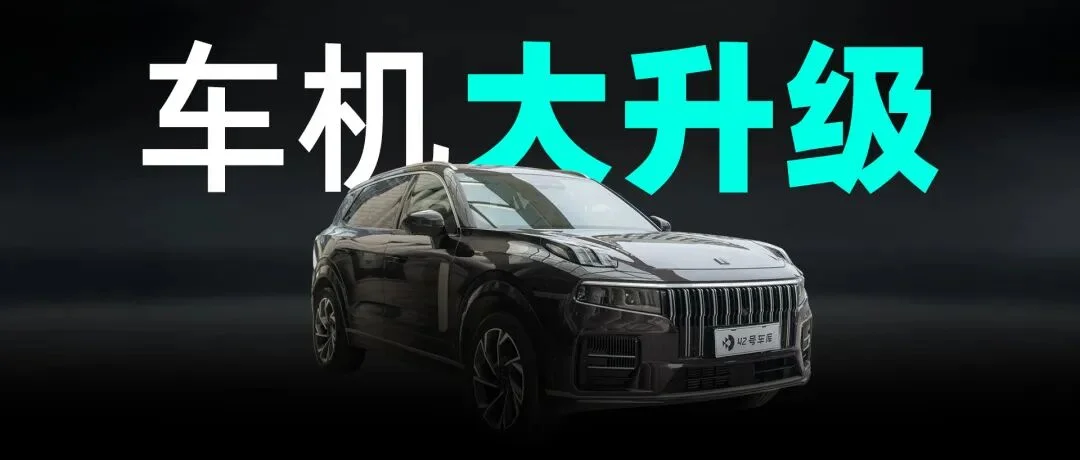
Is the infotainment system important? Drivers transitioning from internal combustion engine vehicles might think it doesn't matter, relying instead on smartphone navigation. But consider this: why do we choose to use phone navigation rather than the car's built-in system once we get in?
Because the infotainment navigation is often difficult to use. Years ago, many vehicles' built-in navigation systems suffered from lag, complex menu hierarchies, and inefficient destination input. These issues were not limited to navigation; they plagued the entire infotainment system.
In contrast, smartphones offer smooth operation and allow users to send addresses directly from other apps into the navigation app, making them significantly more convenient than car-based systems.
As a representative of Geely's mid-to-high-end brands, Lynk & Co has faced these same issues across almost all its currently available models. The poor quality of the infotainment system was so notable that it became a joke among owners: "Lynk & Co goes beyond cars, but stops at the infotainment system."
However, that narrative may be coming to an end. Lynk & Co has released a new LYNK OS N system for its latest mid-to-large SUV, the 09. After spending several hours experiencing the system in the vehicle, I found that the new infotainment setup in the Lynk & Co 09 represents significant progress.
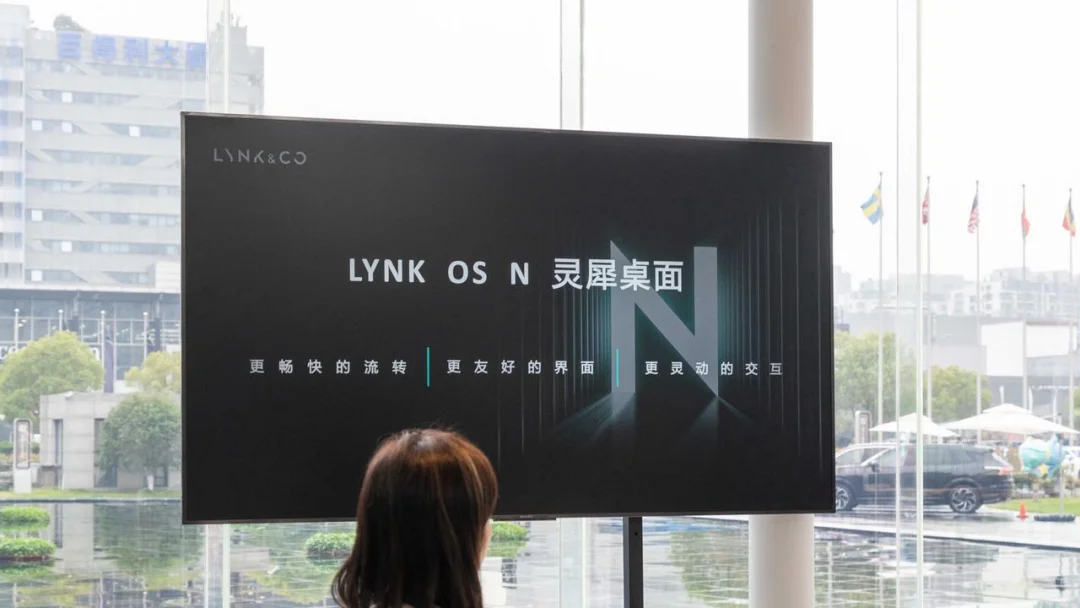
01Is the Infotainment System Difficult? No More
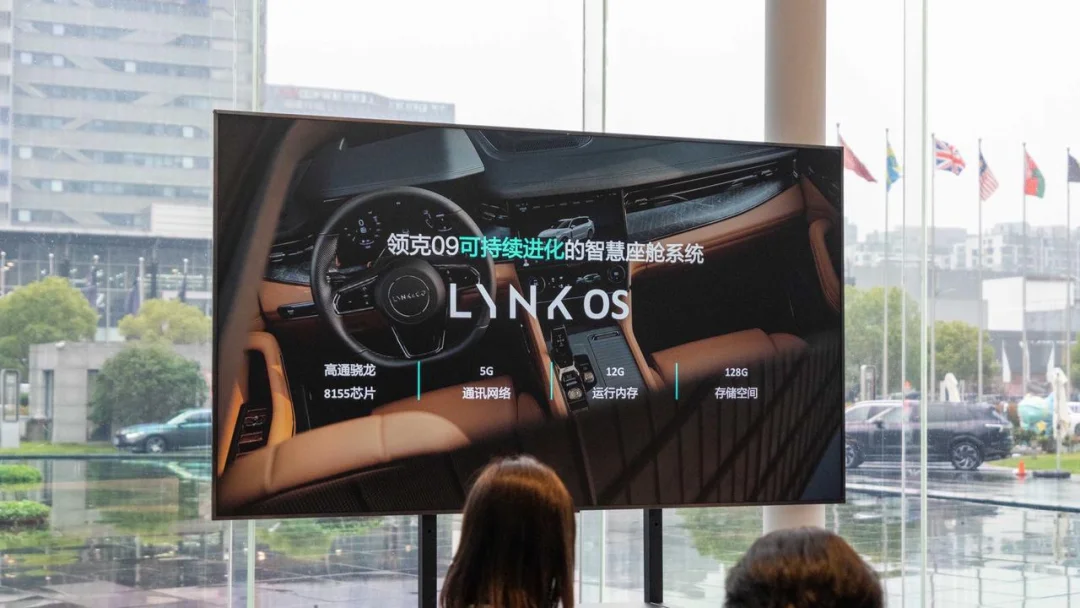
The Lynk & Co 09 is equipped with the Gaotongxiaolong 8155 chip, 12 GB of memory, 128 GB of storage, and supports 5G connectivity. Swiping freely across the infotainment interface reveals a significant improvement in responsiveness compared to previous Lynk & Co models, performing on par with the Zeekr 001, which also uses the 8155 chip.
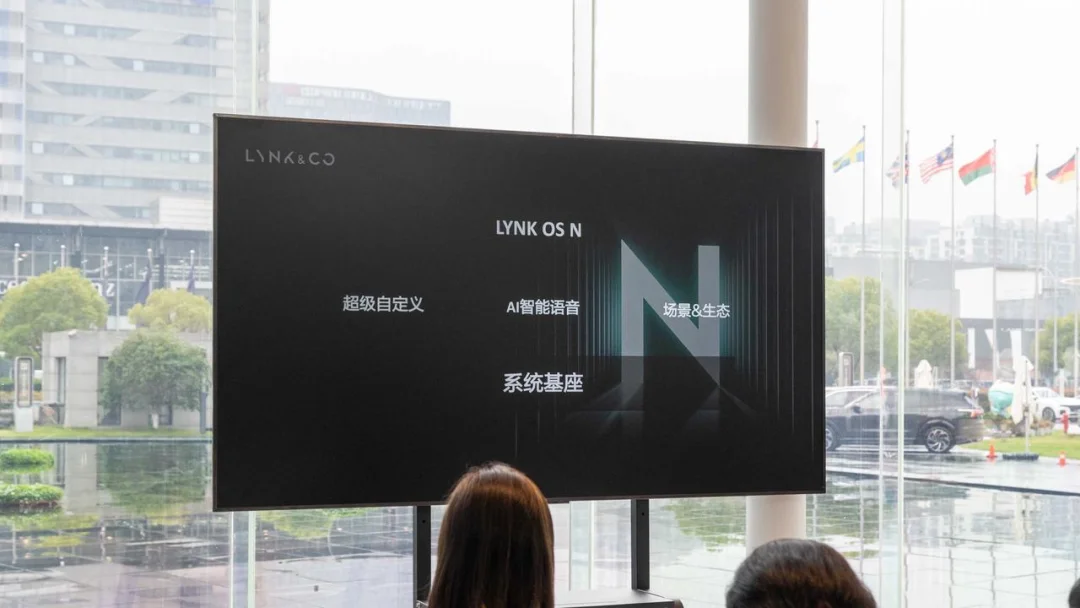
LYNK OS N is built on three pillars: super customization, AI-powered smart voice control, and scenario-based ecosystems. In the following sections, I will examine these features to highlight how this system differs from competitors' infotainment solutions.
Why Call It 'Super Customization'?
Customization options are common in modern car infotainment systems, so why does LYNK OS N claim to be 'super' customized? The answer lies in its unparalleled breadth of customization scope.
LYNK OS N allows users to customize four major functional areas: desktop widgets, the Dock bar, climate control settings, and vehicle configuration options.
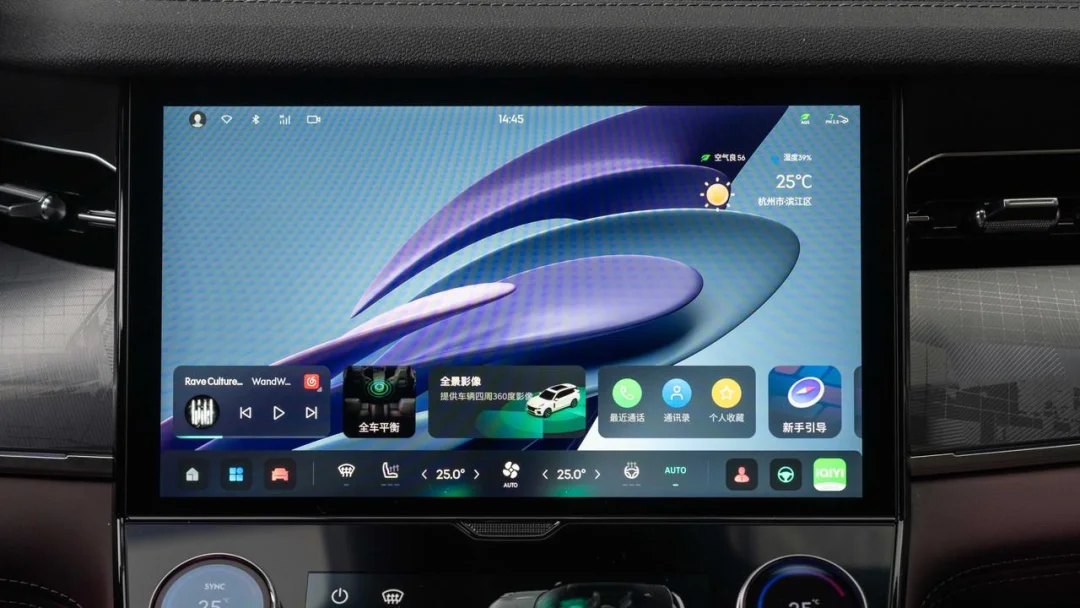
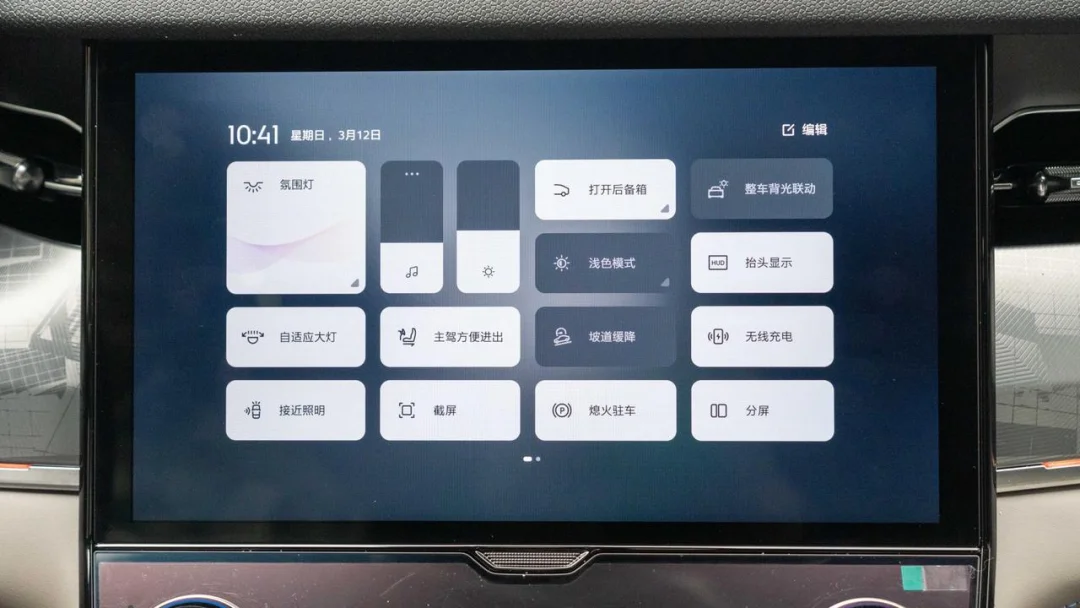
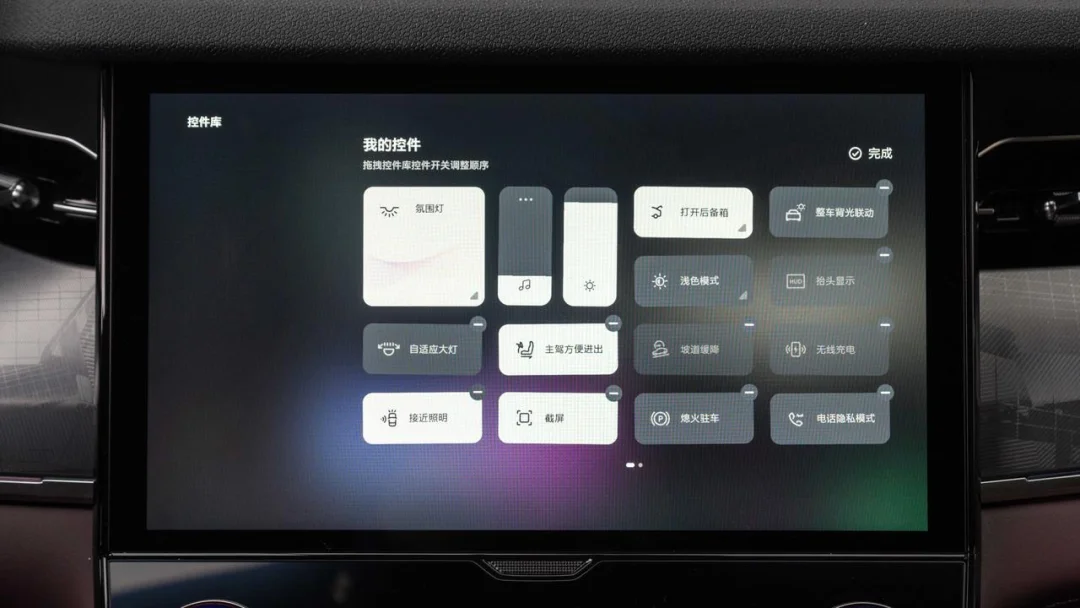
Long-pressing any card on the desktop area opens the desktop card management interface. Users can drag various functional cards from the top section to any position in the bottom section. Existing cards in the bottom section can be deleted or reordered by moving them forward or backward. However, as shown in the image below, cards already placed in the bottom section do not disappear from the top section. If a user attempts to add the same card repeatedly, the system displays a prompt indicating that the card already exists and cannot be added again.
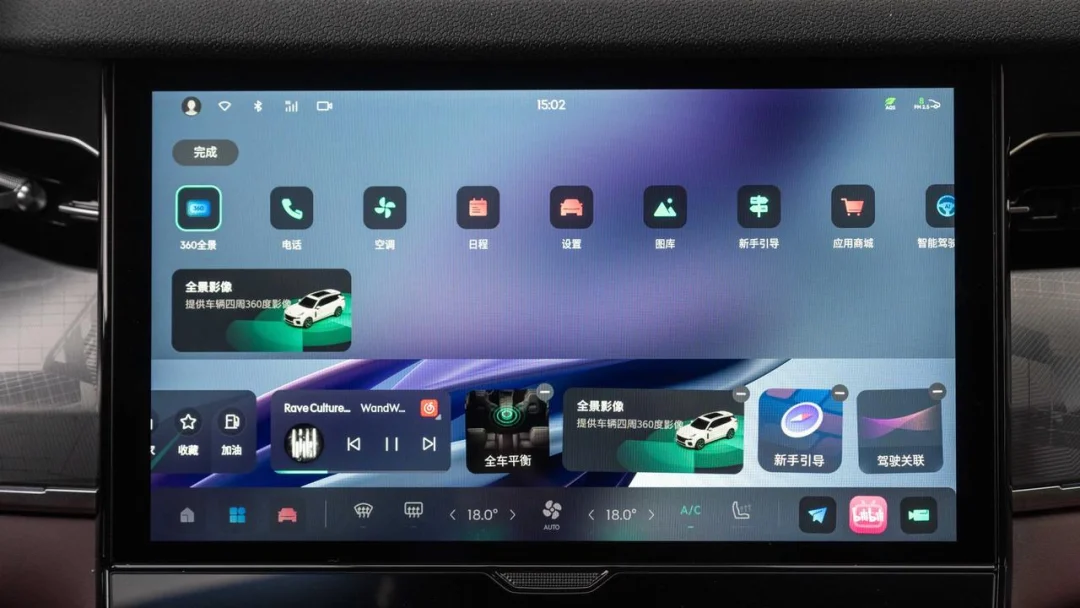
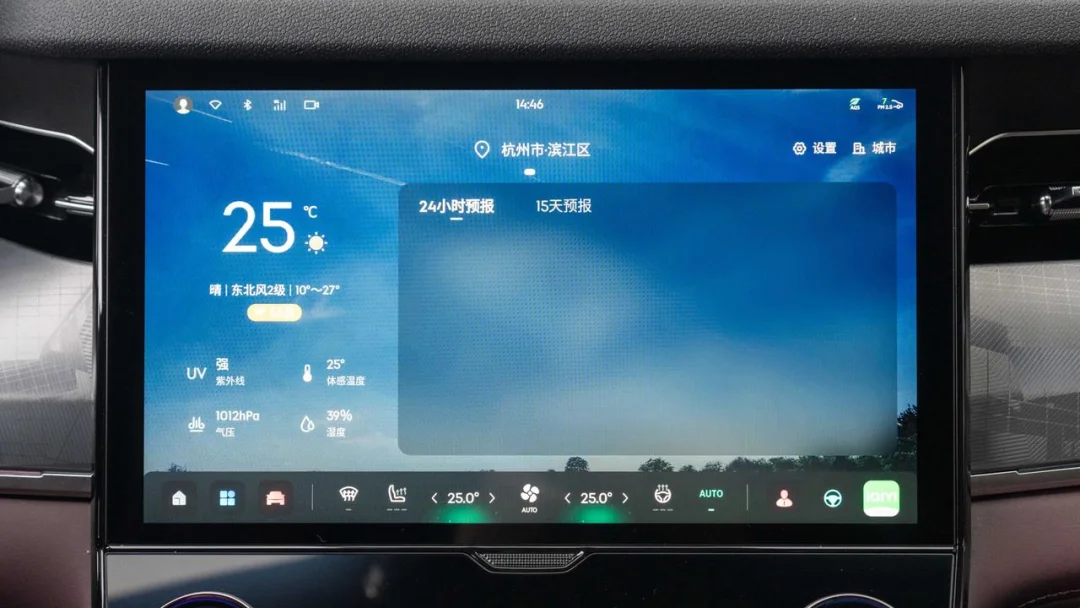
This behavior helps explain why only the row of desktop cards above the Dock bar is customizable. Currently, the desktop area above this row contains only a weather card. The manufacturer states that additional functions will be added to this region in future updates.
Functional cards of the same size can be stacked on top of one another, with a maximum of four cards per stack. Users can swipe up or down to switch between the stacked cards.
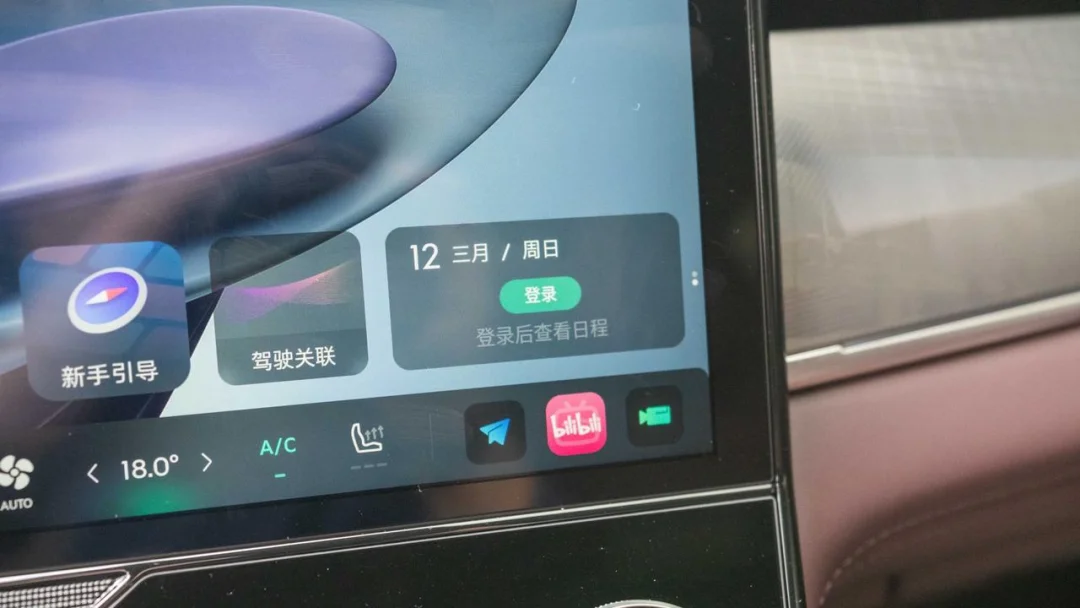
There is a minor usability issue: the small dot indicator on the right side of each card does not remain visible continuously; it disappears two seconds after swiping. Over time, users may forget that other functional cards are hidden beneath the currently displayed card. The manufacturer acknowledges this issue and plans to address it in subsequent software updates.
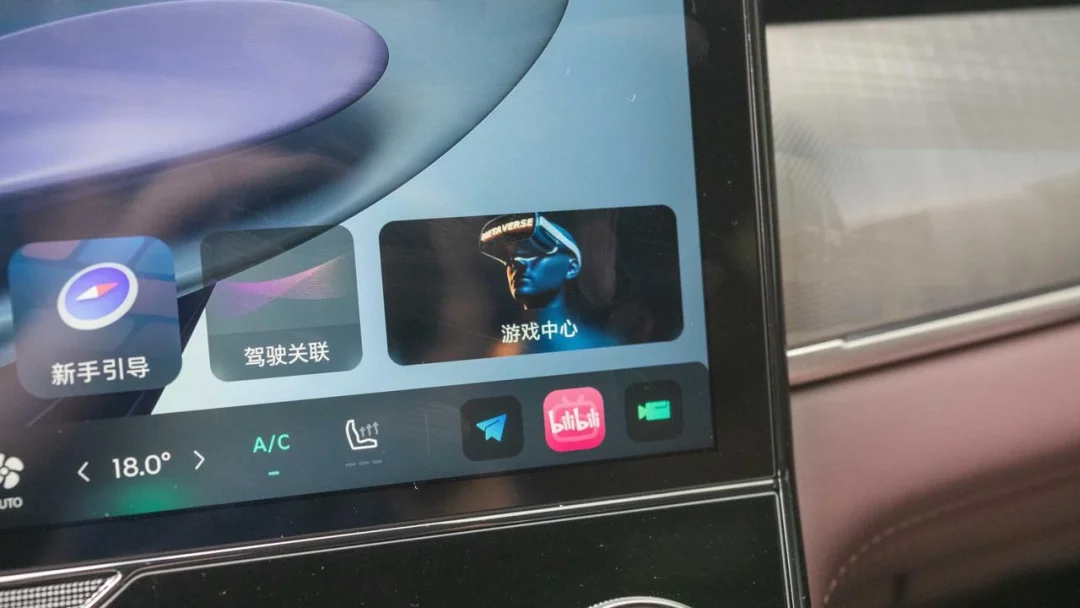
Customizing the Dock bar is not unfamiliar to us; Tesla has supported this feature for a long time. In LYNK OS N, the customizable portion of the Dock bar consists of the three icons on the far right, which can be assigned to system functions or third-party apps.
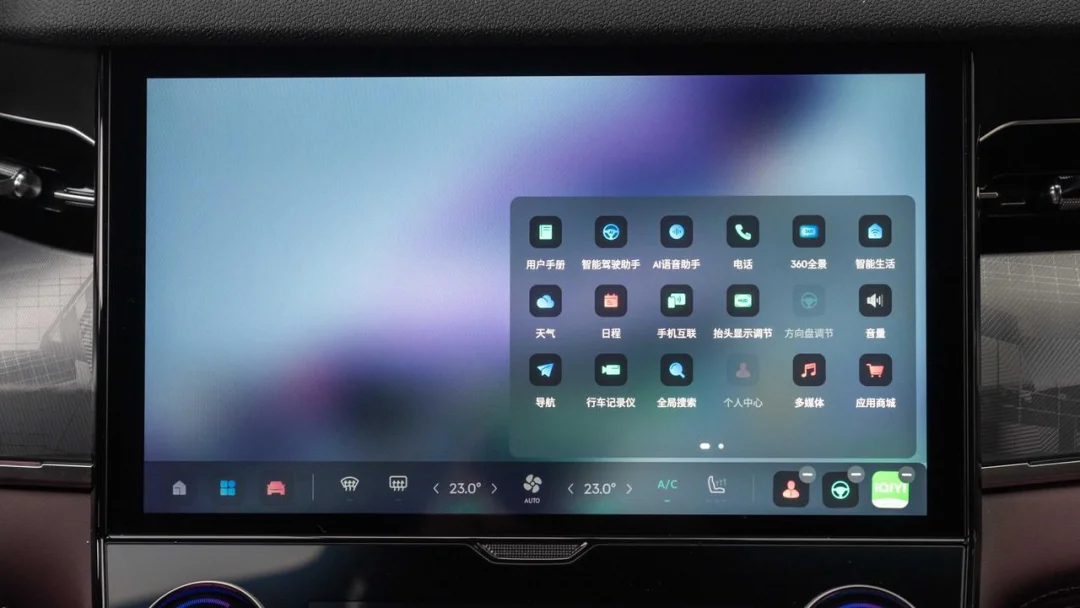
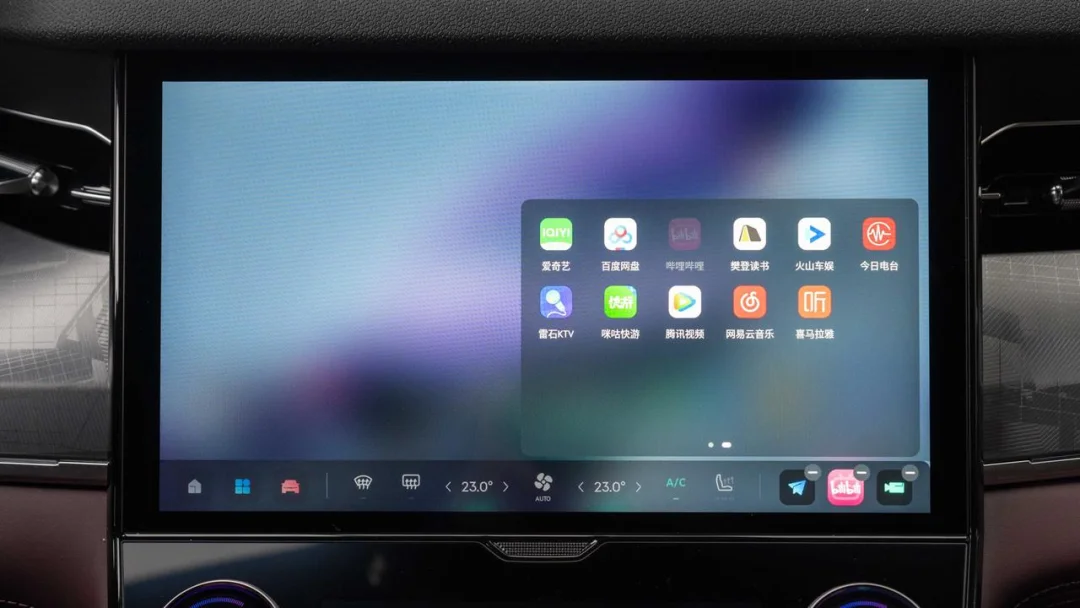
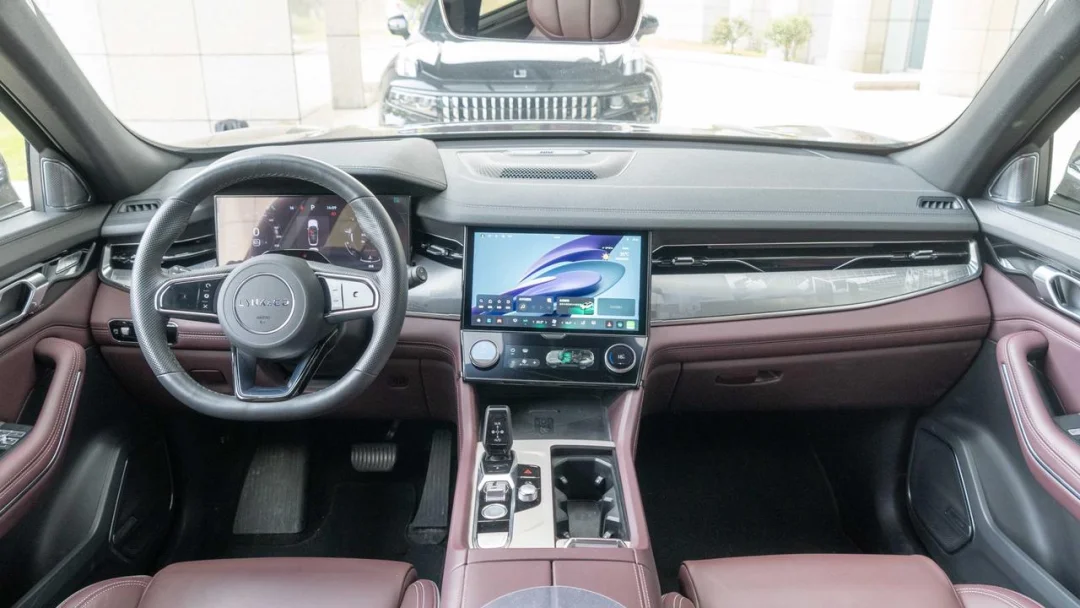
However, I personally feel that although the center console screen in the Lynk & Co 09 is slightly angled toward the driver, these three icons—even if placed at the far left—remain somewhat inconvenient for the driver to operate. Functions more frequently used by the driver are likely still the widgets located on the left side of the desktop. These three customizable Dock bar icons appear to be designed primarily for the front passenger.
For someone like me who prefers driving with the windows closed, the air conditioning runs for most of the year. As temperatures change, the commonly used features vary by season. For instance, seat ventilation is essential when getting into the car in summer, while seat heating and steering wheel heating are needed in winter.
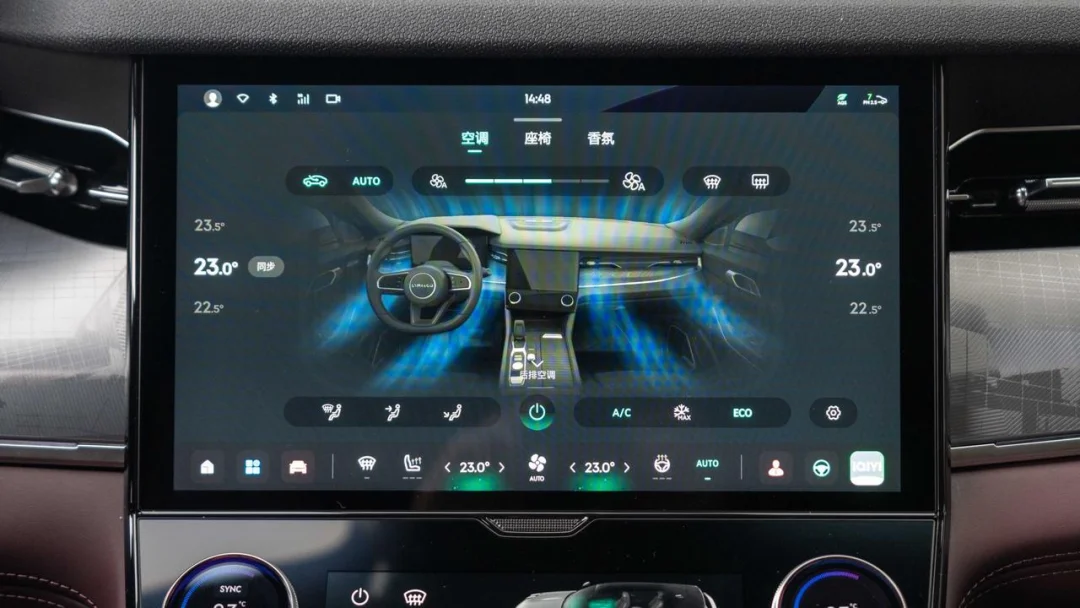
This is where customizing the air conditioning controls becomes important. The central area of the LYNK OS N Dock bar serves as the climate control zone. Besides the main power switch and dual-zone temperature adjustment, which remain permanent, the other four icons can be customized to other climate functions, two each for the driver and front passenger sides. Owners can place their most frequently used seasonal functions in the primary menu for one-touch access.
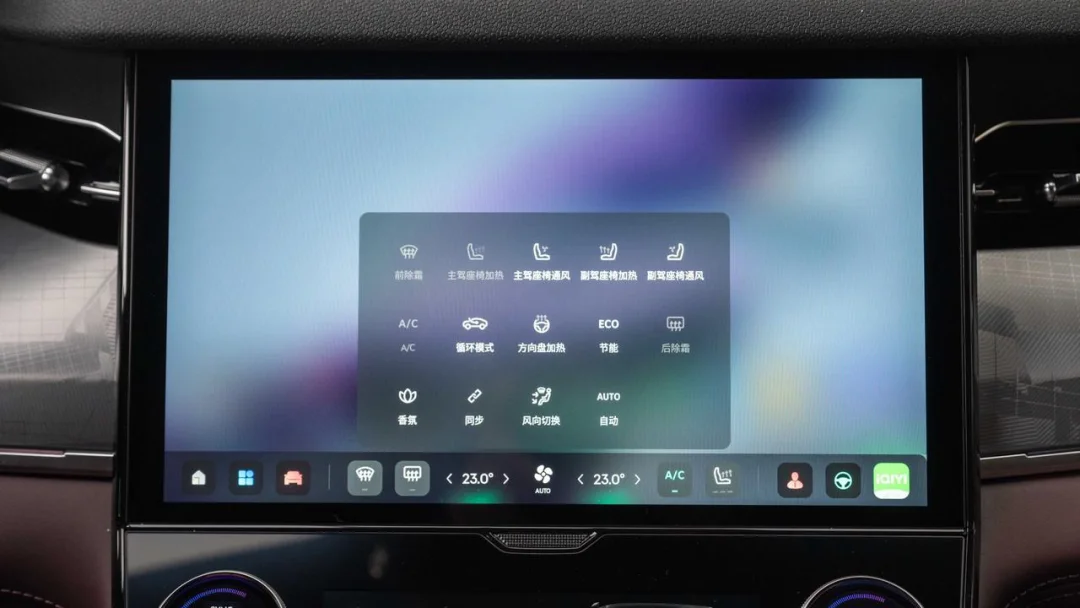
Furthermore, the Lynk & Co 09 features a dedicated climate control screen below the central infotainment display, allowing users to manage common functions such as power, temperature, fan speed, and defrosting. Owners can customize the climate control area on the main screen to include frequently used features that are not available on the physical panel.
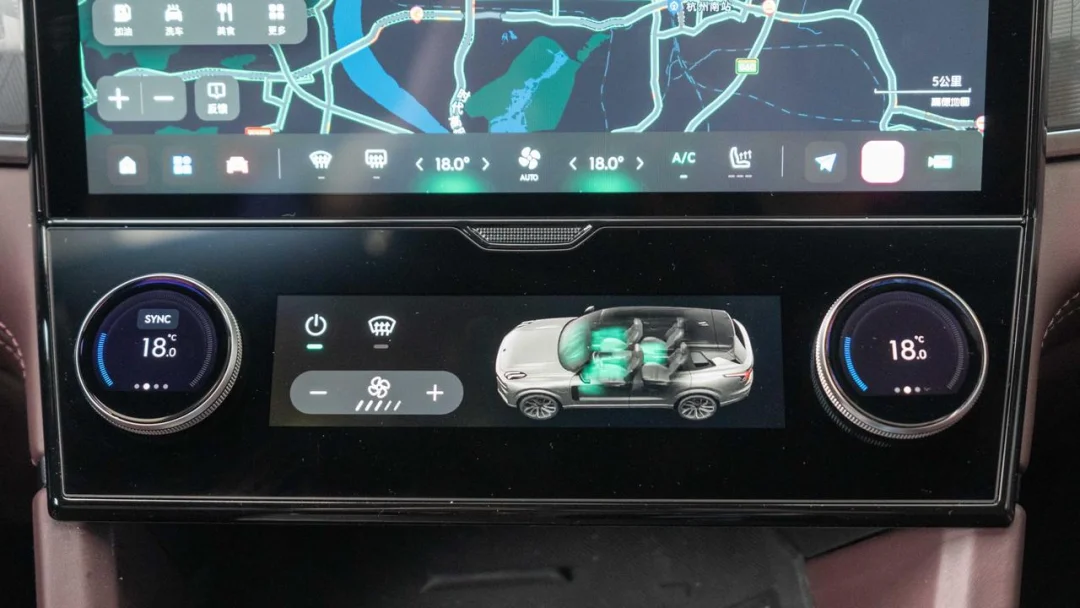
For most vehicles, once initial settings are configured after taking delivery, they rarely need to be changed again. However, infrequently used options often occupy the upper sections of the settings menu, while critical information like tire pressure, which requires regular monitoring, is typically placed in the lower sections.
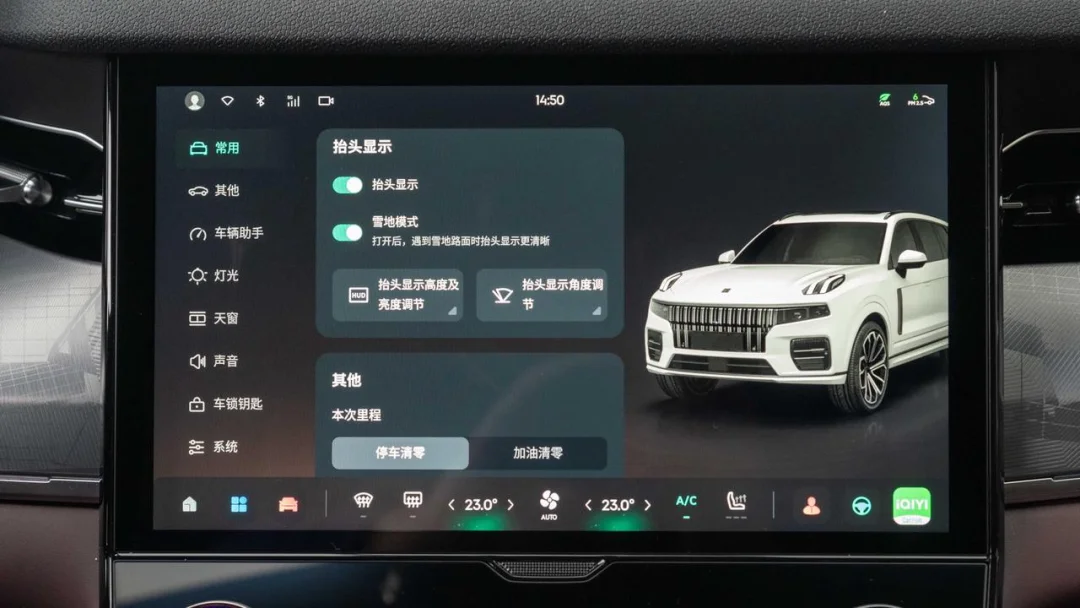
LYNK OS N eliminates this issue by allowing users to freely rearrange the grouping categories on the left side of the vehicle settings menu. Frequently accessed functions can be moved to the most convenient positions, a flexibility not offered by other infotainment systems.
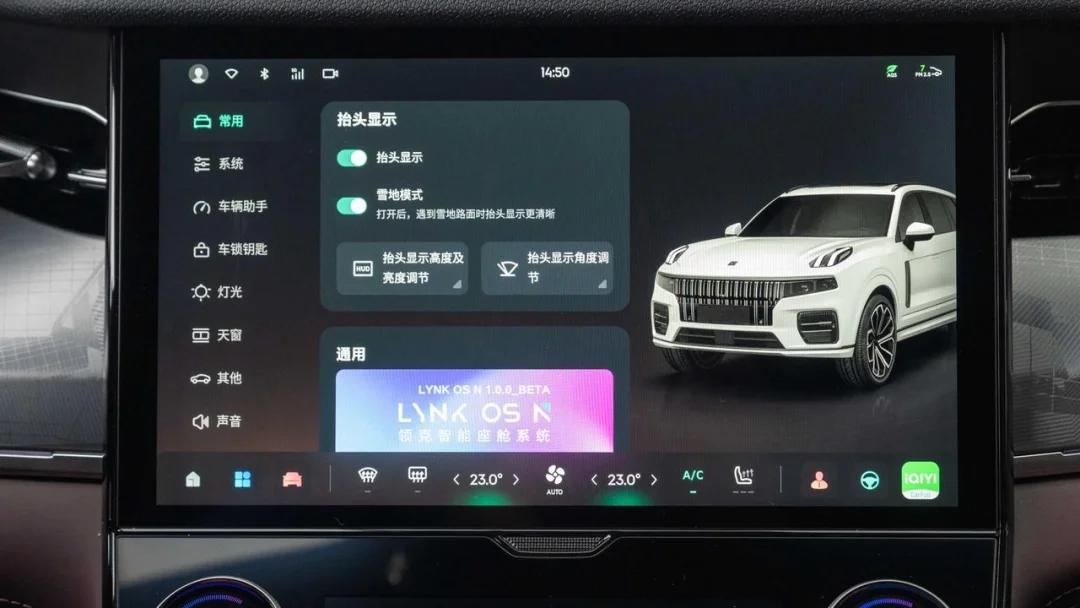
The different setting groups are fully connected, enabling users to swipe directly from the topmost function to the bottommost on the right side of the screen. However, this design presents a challenge: if you only intend to reach an option at the bottom of the current group, swiping too aggressively may bypass it. We suggest that the official team implement a slight pause or resistance between groups; simply continuing to swipe would then navigate to the next group.
In addition to the four customizable scenarios mentioned above, the notification quick-access menu, which is pulled down from the top left of the desktop, also supports custom functionality. Users can freely delete and rearrange the positions of function cards across two pages of quick-access features.
How powerful is the voice assistant? First-tier performance
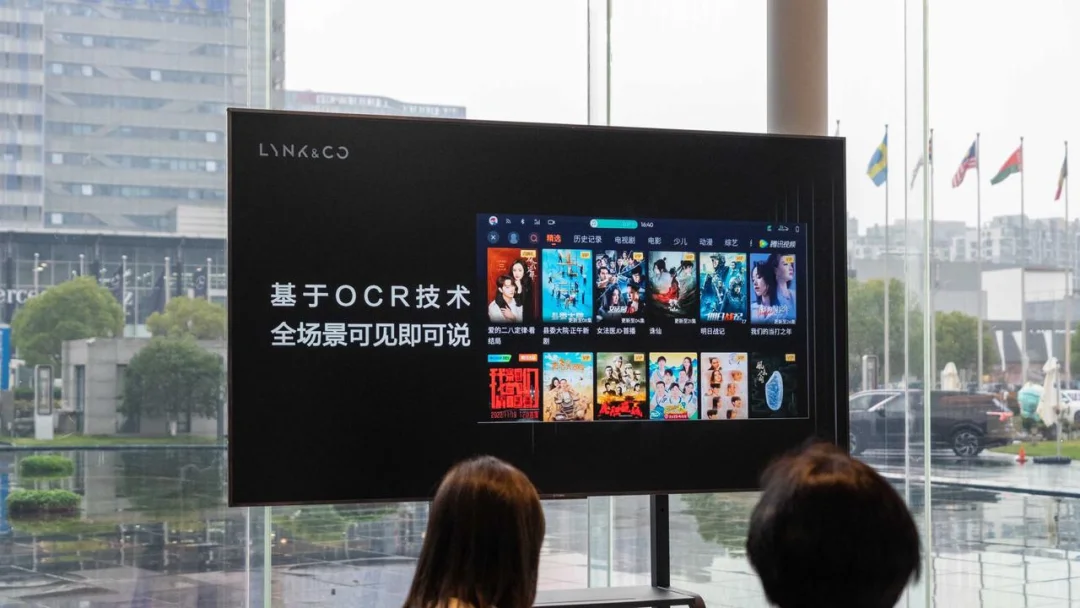
LYNK OS N now supports front-and-rear four-zone voice recognition for its voice functions. Additionally, leveraging OCR technology, it enables a 'what you see is what you say' experience across all scenarios. But how does it perform in practice? Will it satisfy an XPENG owner like me?
First, regarding voice control, my most frequent uses are air conditioning adjustments and navigation setup. As shown in the following images, this new voice assistant executes commands with remarkable speed from recognition to completion. If a requested feature is already active, the system notifies the user that it was already on. When setting up navigation, it smoothly guides users through step-by-step instructions and even reports the estimated time of arrival.
When using voice commands to operate video apps like iQIYI, the response is precise: say what you want to watch, and it appears. However, I did notice a minor issue during operation. If the target requires clicking a scrolling banner image on the page, and the image shifts position while the voice command is being processed, the system may fail to click the correct image. This area will need further optimization.
Voice commands can control various vehicle settings, and testing shows it reaches a level where manual touchscreen interaction is unnecessary. Additionally, this voice system can even help owners check train tickets. However, due to the payment process involving multiple security verifications, purchasing train tickets directly on the car’s infotainment system is not currently possible; this will require integrating payment functionality in the future.
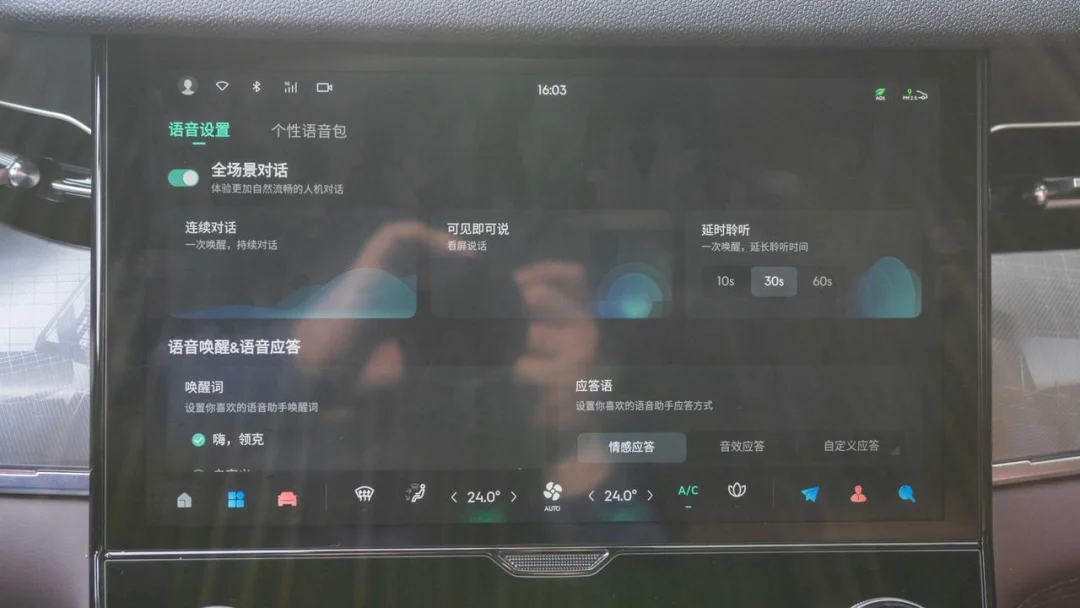
In the voice assistant settings, users can adjust the listening duration, with 10 seconds being a personal favorite. Wake-up words and response phrases are also customizable, though wake-up words only support Chinese names. Furthermore, certain functions allow direct command execution without a wake-up word.
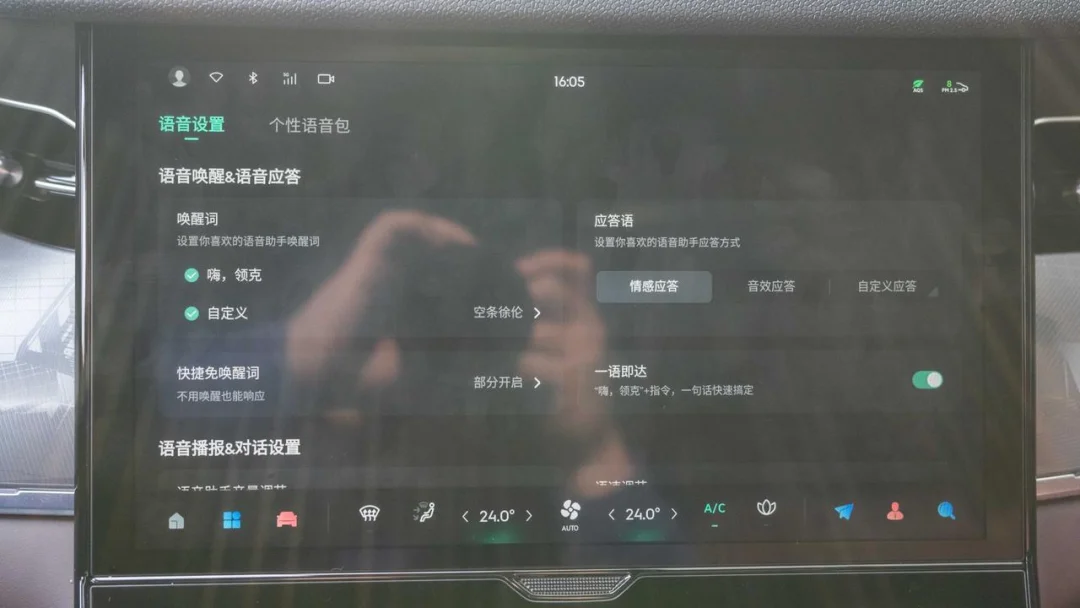
The voice assistant supports speed adjustment, allowing users to set it faster or slower according to their preferences. In addition to Mandarin, the assistant supports Cantonese.
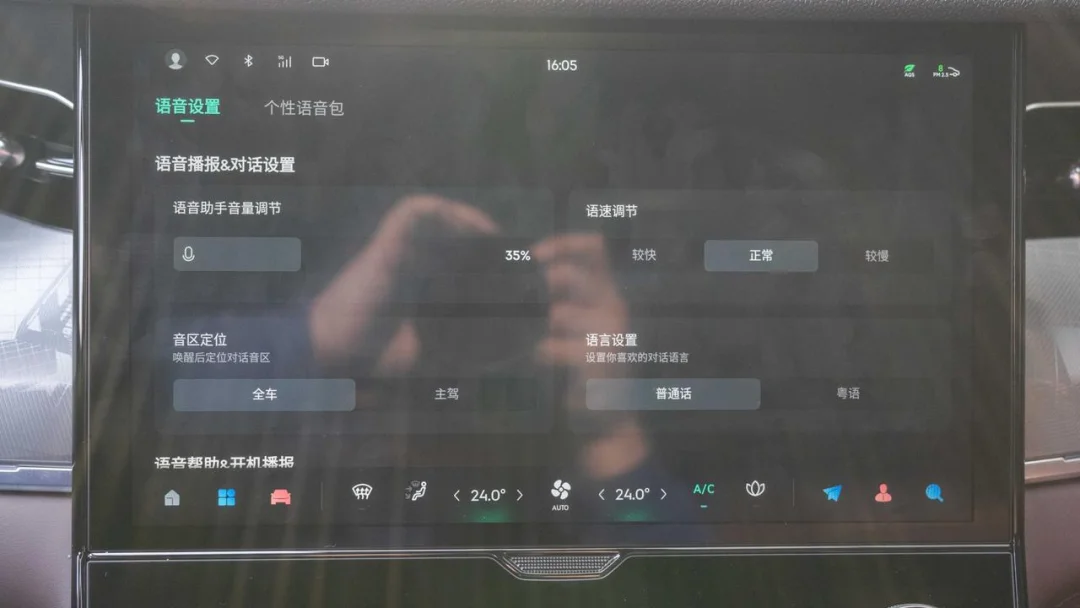
Lynk & Co has made significant strides with its voice assistant, now matching the capabilities of leading new automotive startups.
Other Features? Equally Powerful
Beyond the features mentioned above, LYNK OS N has much more to offer.
Sliding horizontally to the right on the home screen brings up the negative-first-screen menu. Here, you can control various vehicle functions, much like the negative-first-screen feature on smartphones.
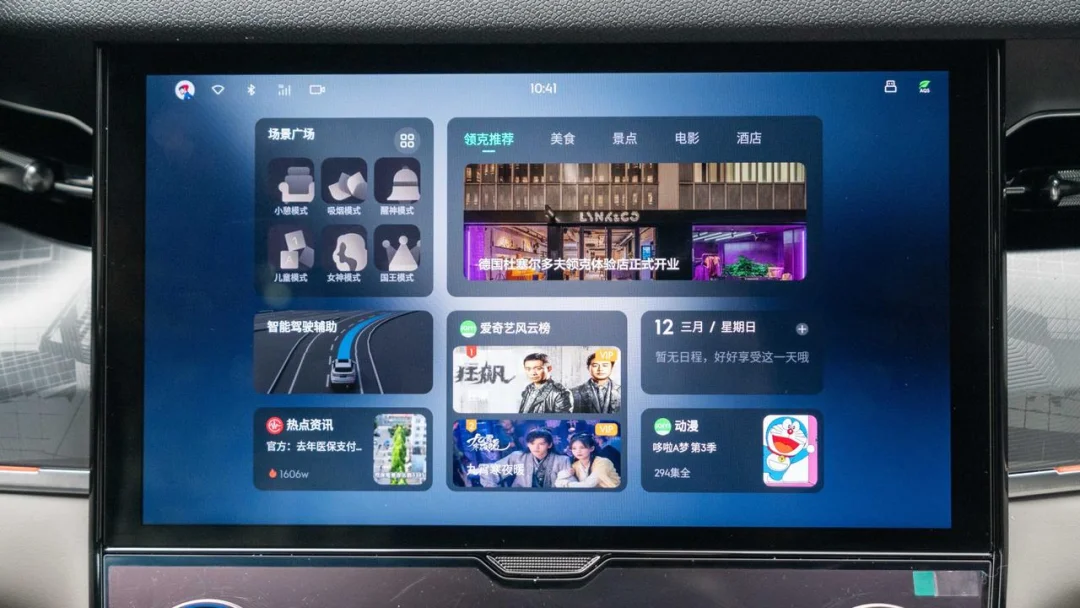
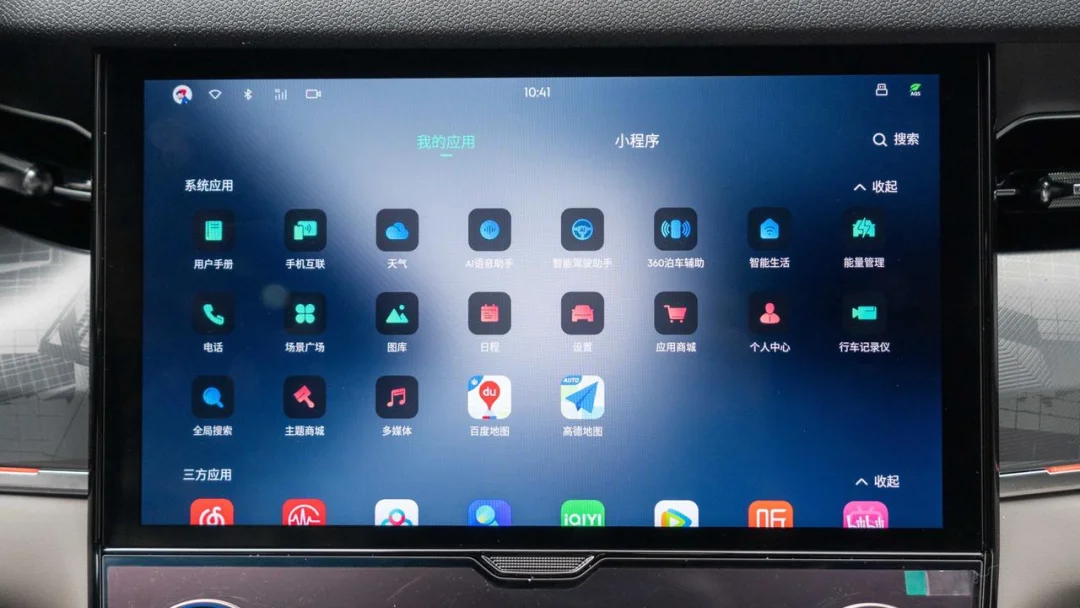
Sliding horizontally to the left on the home screen opens the app center. This is where you can view all system apps, third-party apps, and mini-programs for the vehicle. You can also long-press an icon to drag frequently used apps to the Dock bar.
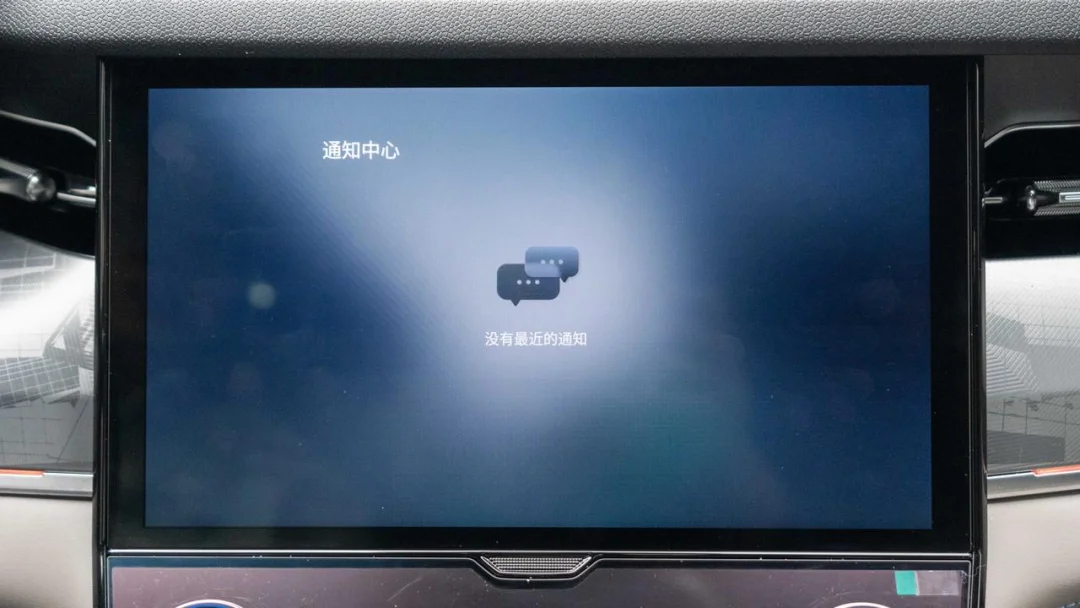
Swiping down from the top-right corner of the home screen accesses the notification center, where push notifications from all vehicle apps are consolidated for easy viewing by the owner.
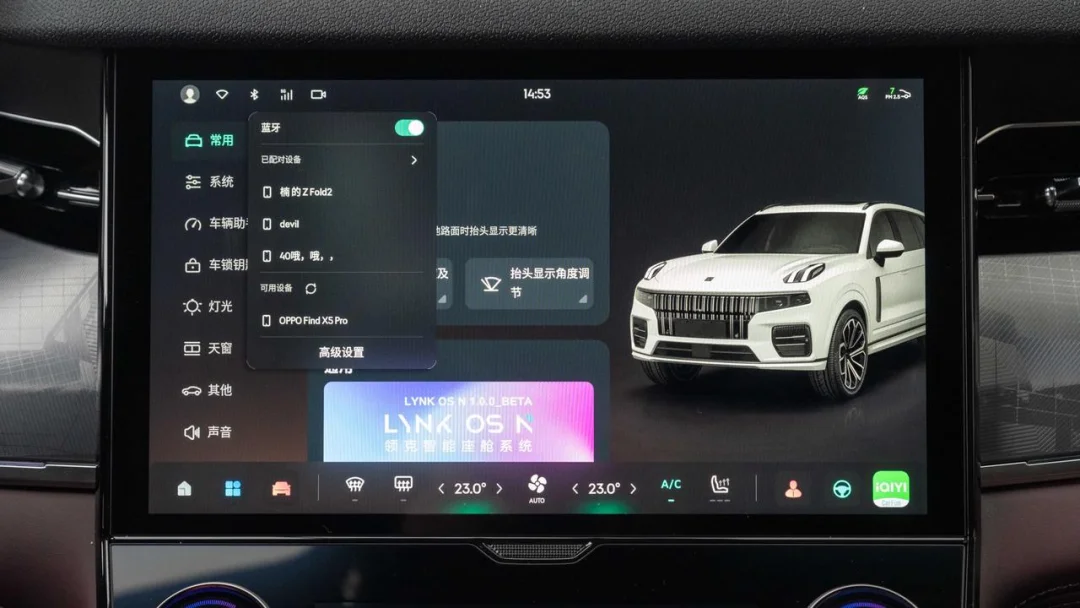
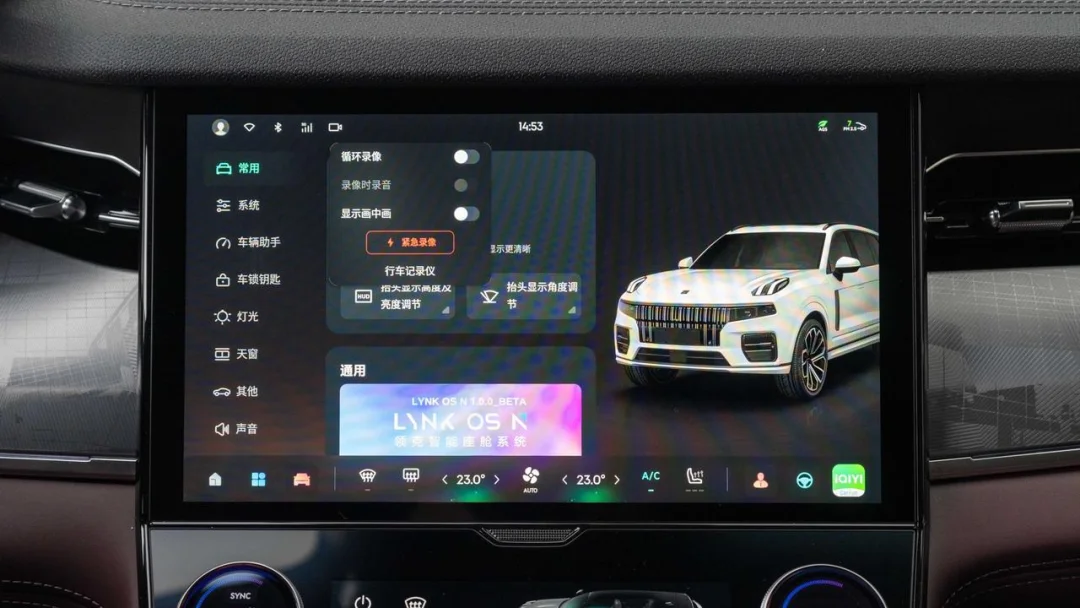
The user center, Wi-Fi, Bluetooth, data connection, and dashcam functions in the top-left corner can be accessed directly with a click for quick connection or settings adjustments.
The main interface also supports a variety of gesture controls. Swiping down with one finger on a desktop card hides the card row, creating a cleaner look. Sliding up from the bottom of the screen and holding allows access to the background management page, following a logic consistent with smartphones for easy adoption.
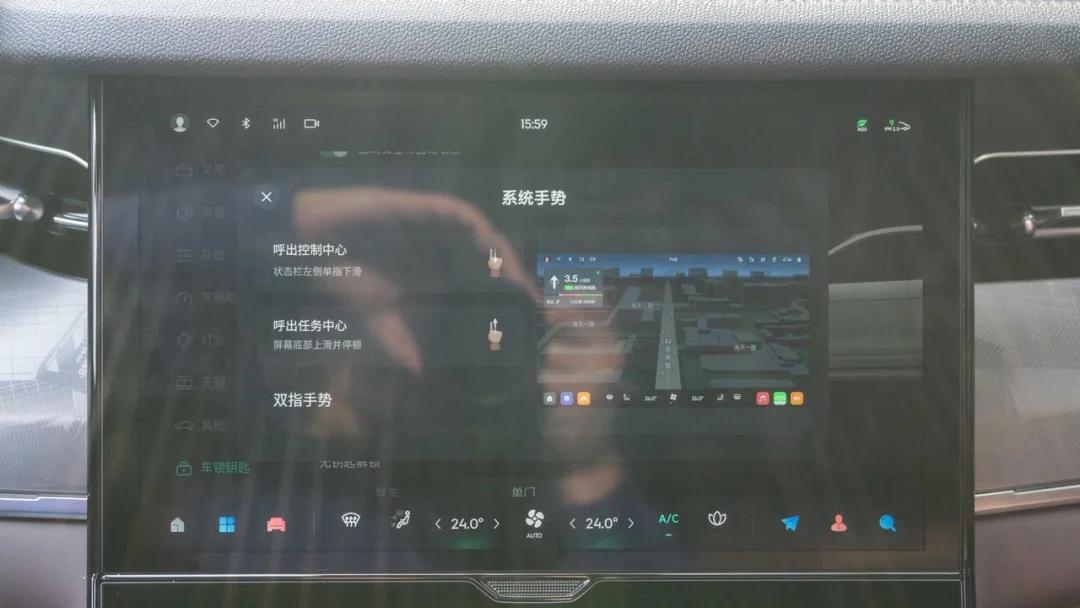
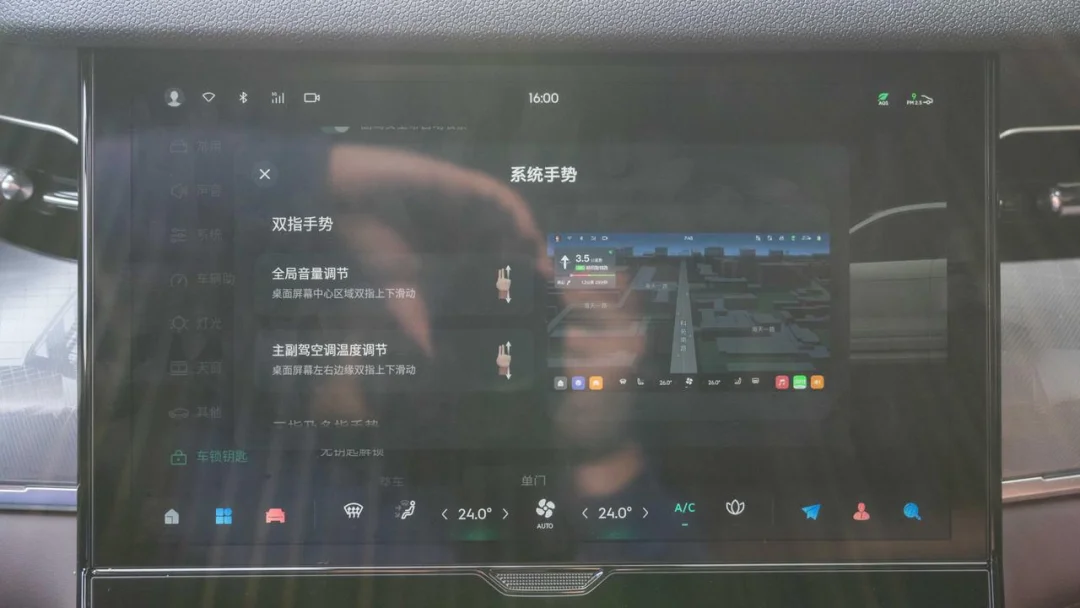
Using two fingers to swipe up or down in the center area of the desktop adjusts the infotainment volume. Swiping up or down along the left and right edges of the screen adjusts the temperature for the respective driver and passenger climate zones.
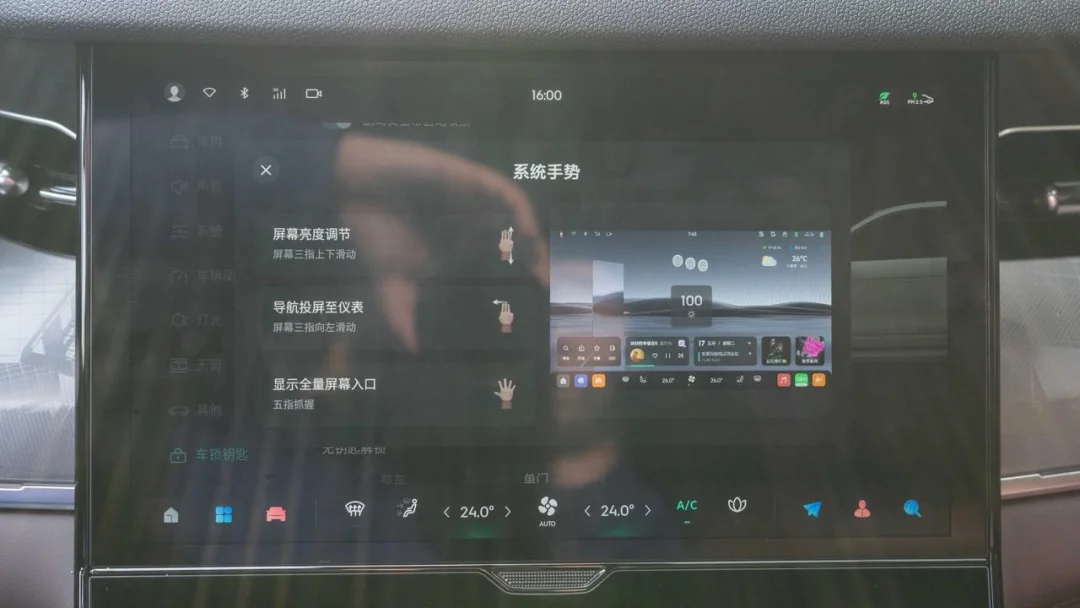
Swiping up or down with three fingers on the screen adjusts its brightness. In the map interface, swiping left with three fingers sends the map view to the instrument cluster, allowing the driver to check navigation without turning their head. Swiping right returns the display to the central screen—a feature already available on the Lynk & Co 06 three years ago. Finally, pinching inward with five fingers produces the same result as sliding up from the bottom and holding: entering the background management system.
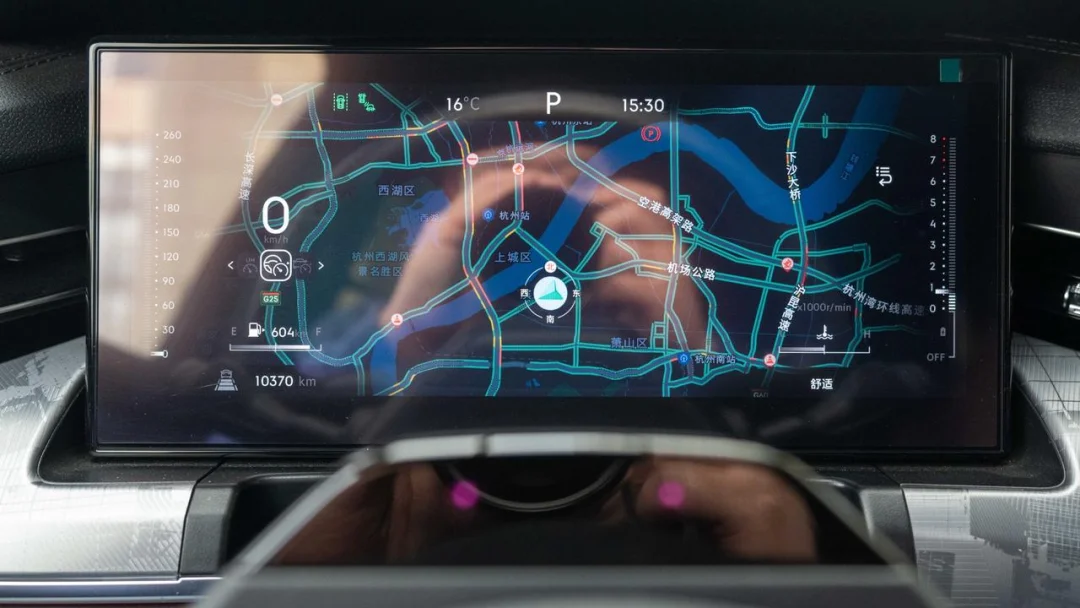
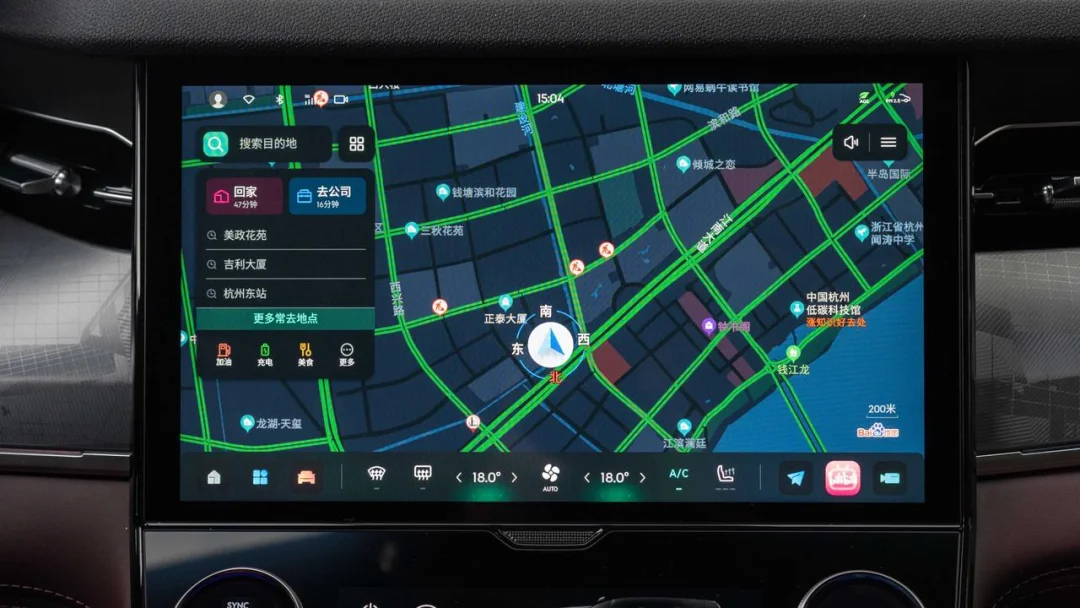
LYNK OS N includes built-in car-specific versions of Amap and Baidu navigation apps, allowing users to choose based on their preferences.

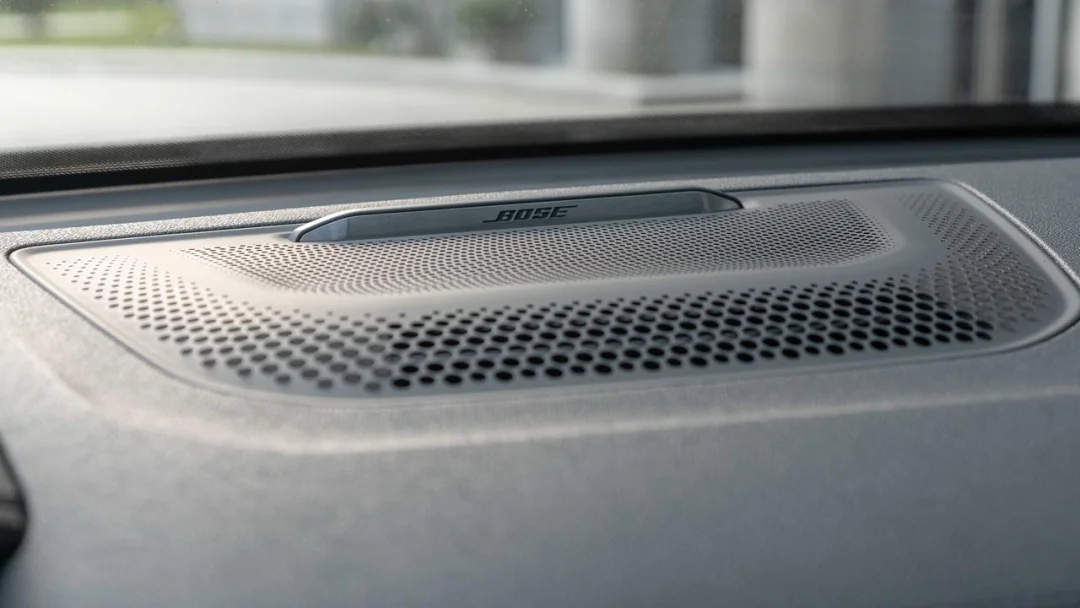
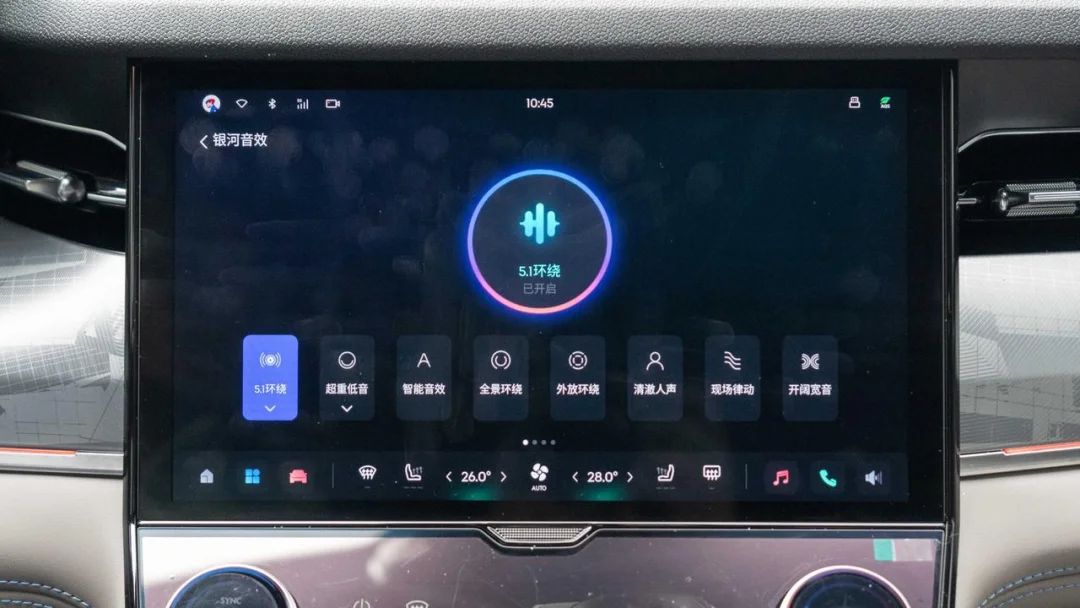
Regarding the audio experience, the Lynk & Co 09 features a 14-speaker BOSE sound system with numerous adjustable options integrated into the system.
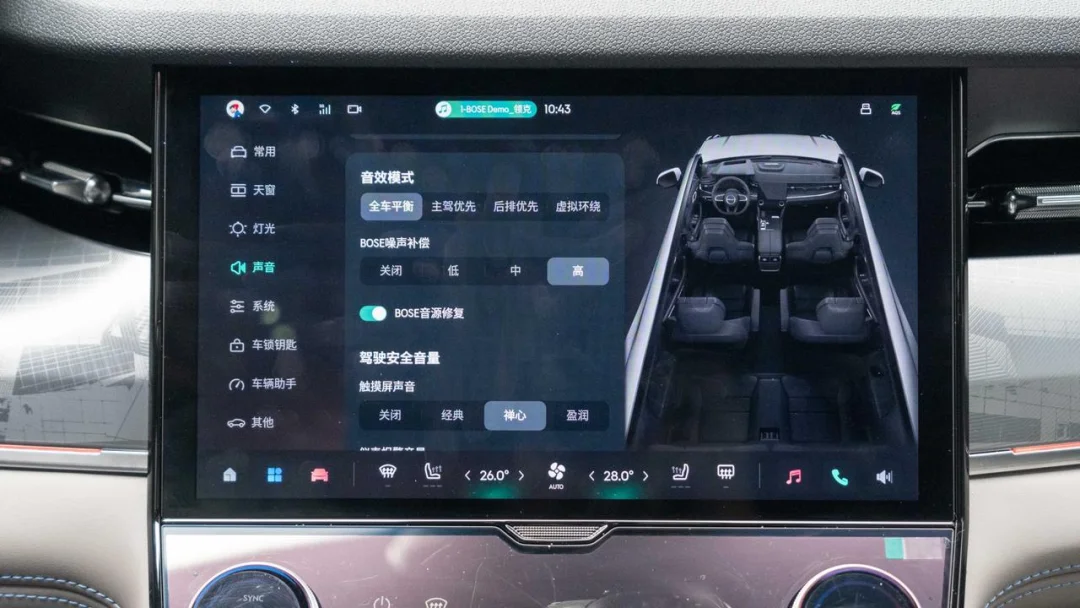
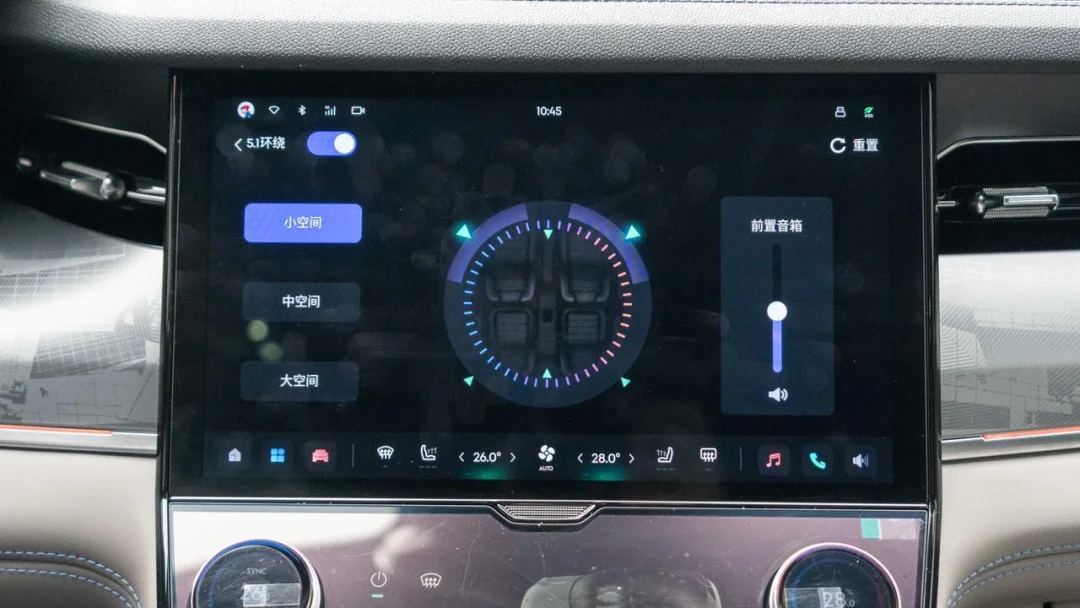
The vehicle settings offer four selectable sound modes that can be customized as needed. In the sound field adjustment, users can freely drag the sound field position.
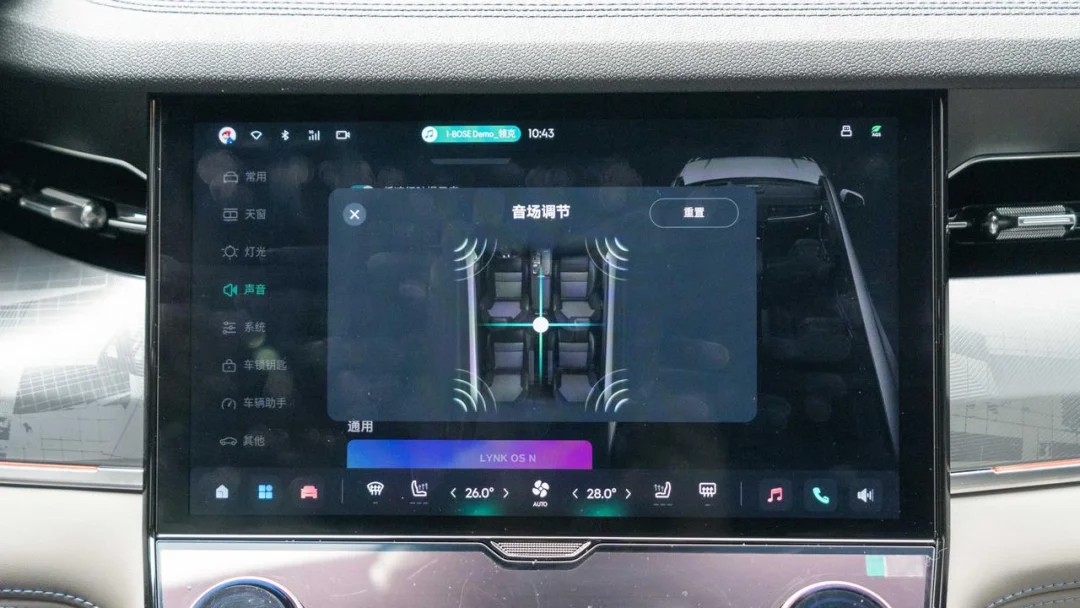
Dragging the audio zone to the front-left corner of the driver’s seat directs sound exclusively to that speaker. The same logic applies to other corners, allowing rear passengers to rest with minimal disturbance.
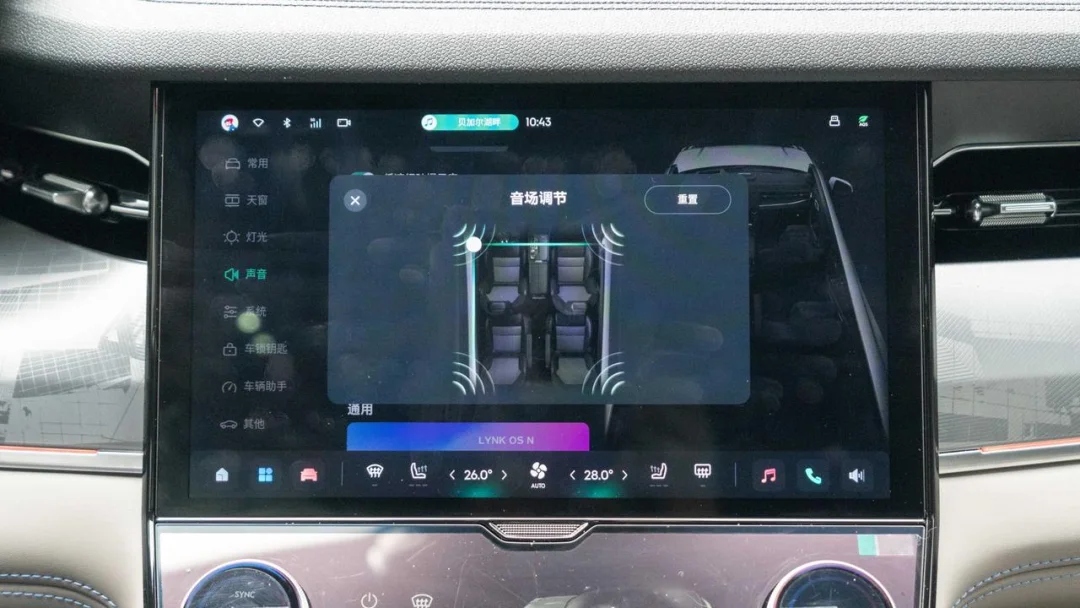
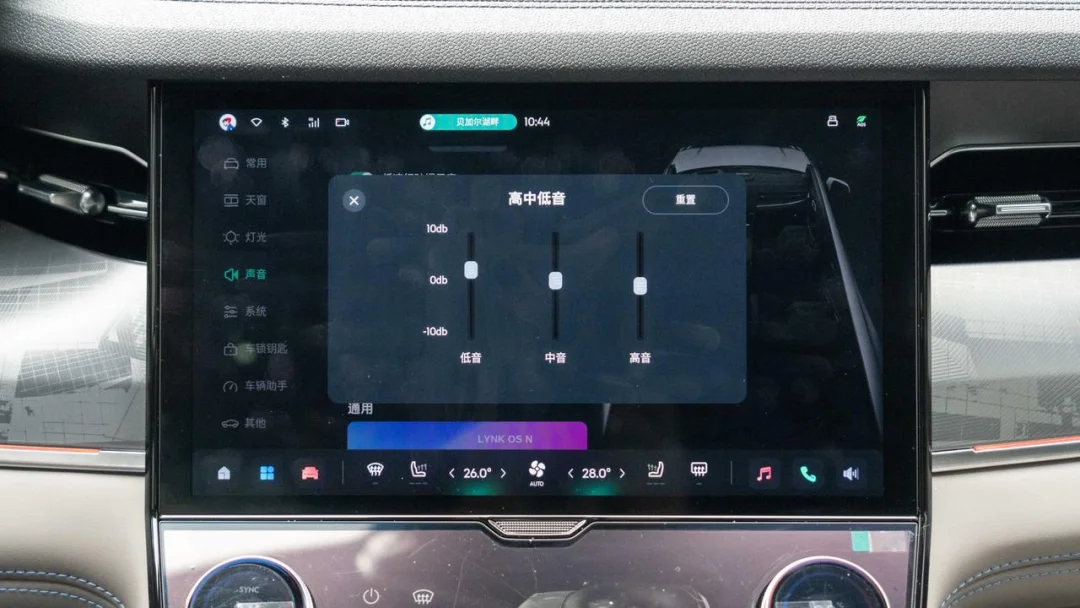
The sound settings include a built-in EQ equalizer, a feature superior to many infotainment systems that offer only preset sound profiles. Currently, adjustments are limited to high, mid, and low frequencies; it remains unclear whether additional options will be added via future OTA updates.
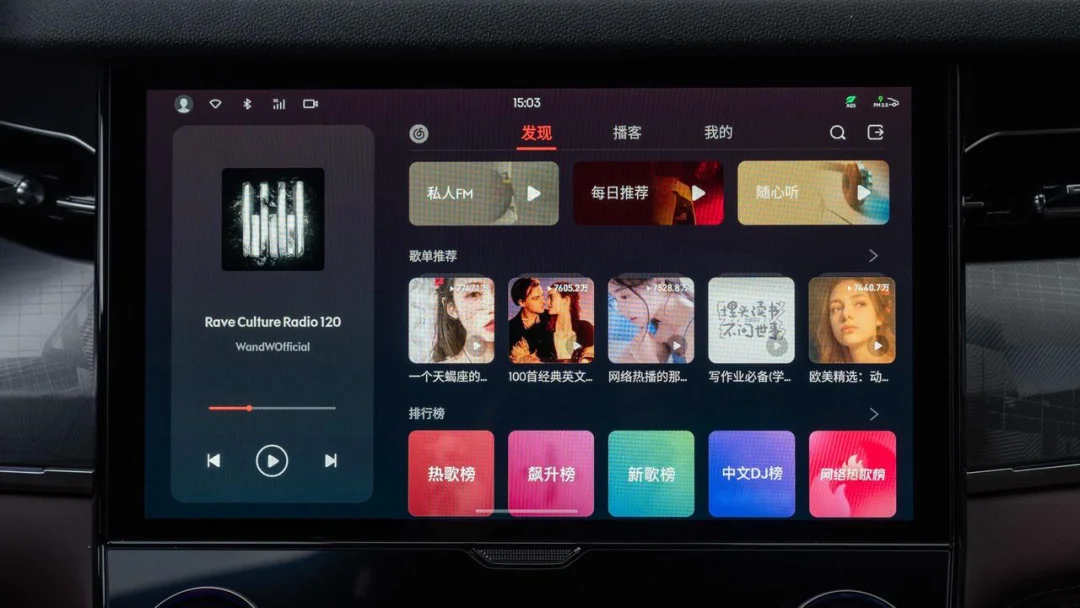
Music apps include QQ Yinyue and Wangyiyunyinyue for user selection. Additional features include radio, USB music, Bluetooth audio, podcasts, and audiobooks.
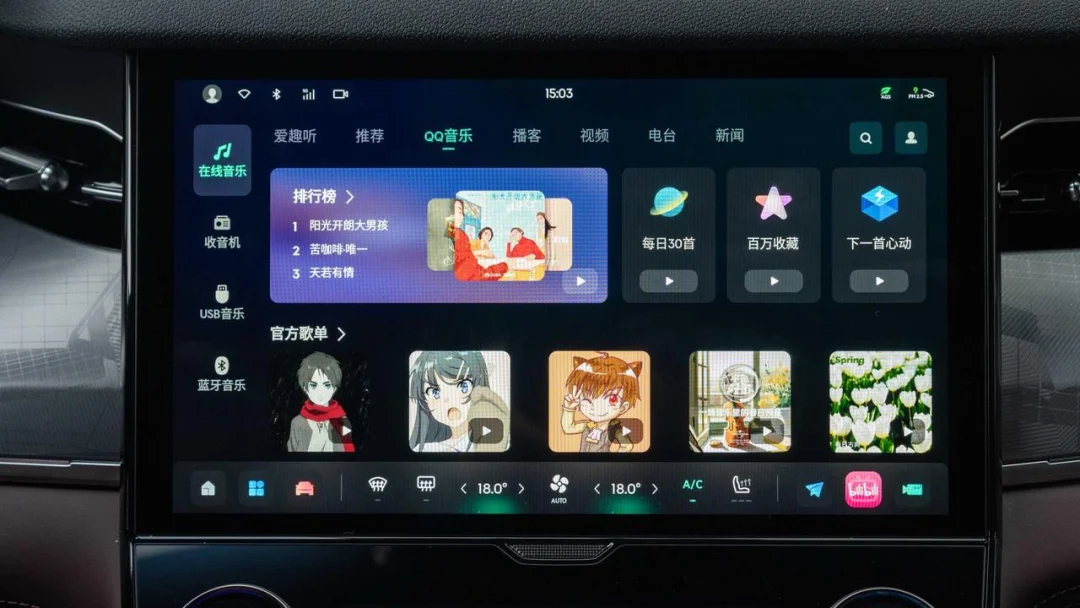
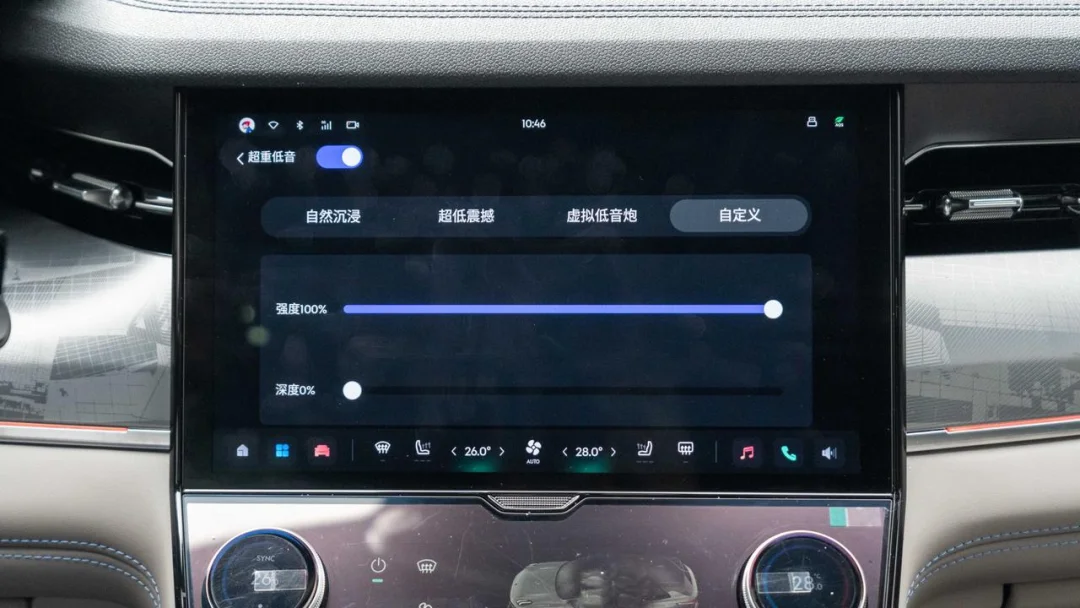
In QQ Yinyue, owners can further adjust the audio system. Not only can they adjust the dynamic range of the soundstage, but they can also freely control the intensity and depth of the bass. If these features are used effectively, they are sufficient to fully unlock the potential of this BOSE audio system.
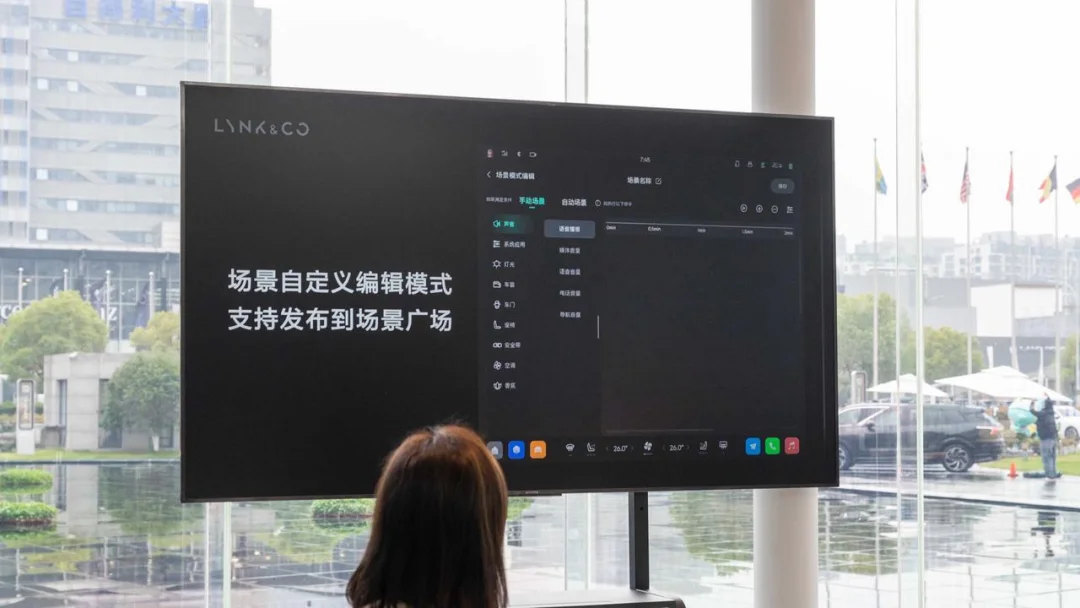
In Scene Mode, the current system has seven preset scenes. The official team stated that user-defined scenes will be open in the future, similar to the Shortcuts feature on iOS. A 'Scene Square' function is planned for the future, allowing users to publish their own custom scenes or download scenes created by others.
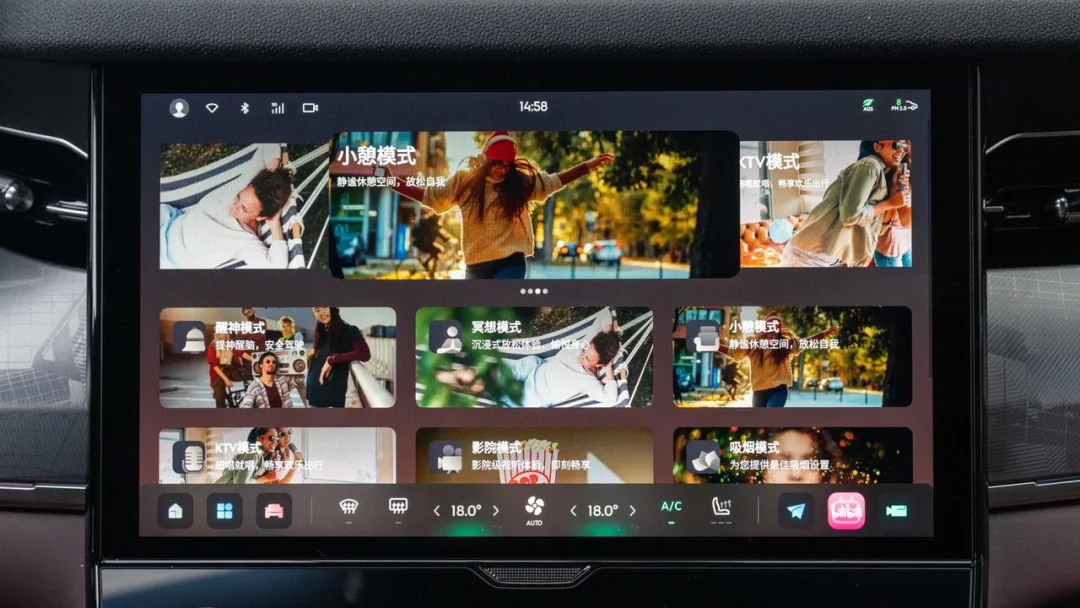
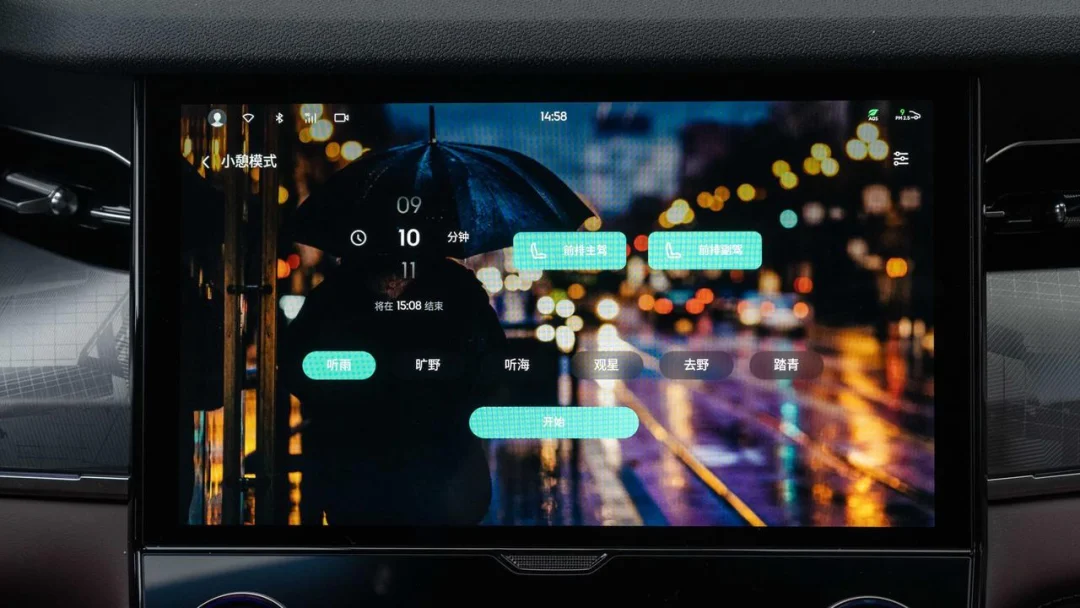
When activating Nap Mode, users can set the duration of the nap and the ambient sounds played inside the vehicle. Based on their location, users can select which seats should adjust after starting the mode. Upon clicking Start, the selected front seats automatically switch to a reclined position, while corresponding ambient sounds play through the speakers.
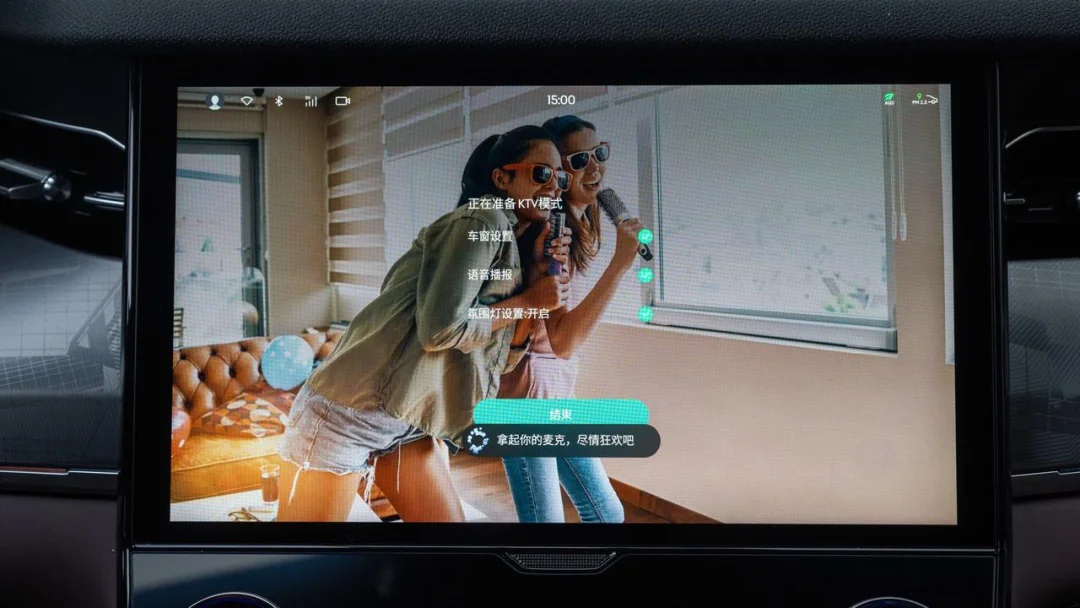
To activate KTV mode, you must first connect a compatible Bluetooth microphone. Upon activation, the system switches to the corresponding app, closes the windows, disables voice prompts, and turns on the ambient lighting to create an environment truly suited for singing inside the car.
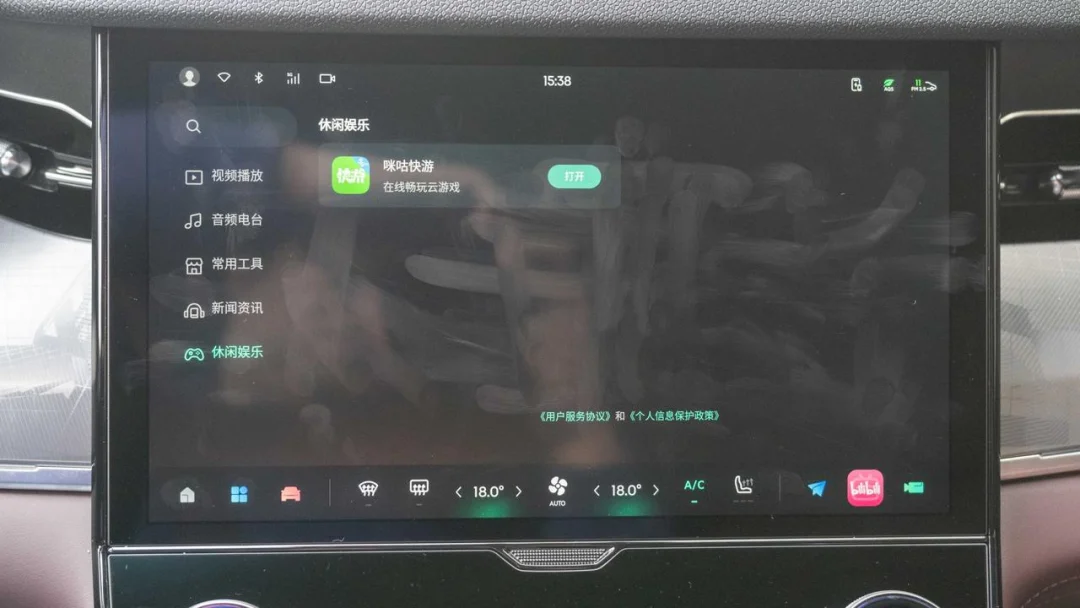
Another notable feature is the gaming functionality. The system includes Migukuaiyou, which allows you to use your smartphone as a controller via QR code scanning; support for dedicated game controllers will be added later. I briefly tested The King of Fighters, and the input latency on the phone was minimal, ensuring smooth gameplay.
Finally, here are two desktop easter eggs: tapping the time at the top of the screen opens the sleep timer interface. This is useful when napping in the car, as it dims the screen to avoid glare while still allowing you to check the current time.
When wireless charging is active, tapping the wireless charging icon in the upper-right corner reveals the toggle switch and displays an animation indicating that charging is in progress.
Overall, LYNK OS N significantly surpasses the systems found in previous Lynk & Co models. Its excellent fluidity, high degree of customization, and powerful voice assistant left a strong impression.
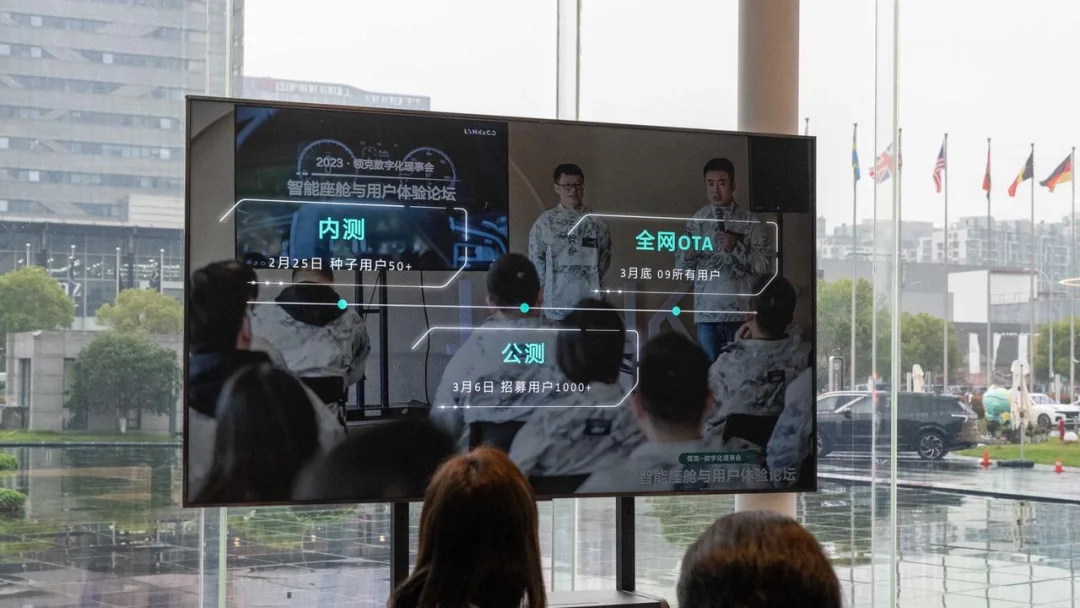
When will this user-friendly system be available? Don’t worry, Lynk & Co will push the LYNK OS N update to all 09 users by the end of March. The infotainment system itself receives OTA updates every six months or a year, while daily updates are primarily handled through the app.
02Beyond the infotainment, how is the space in the Lynk & Co 09?
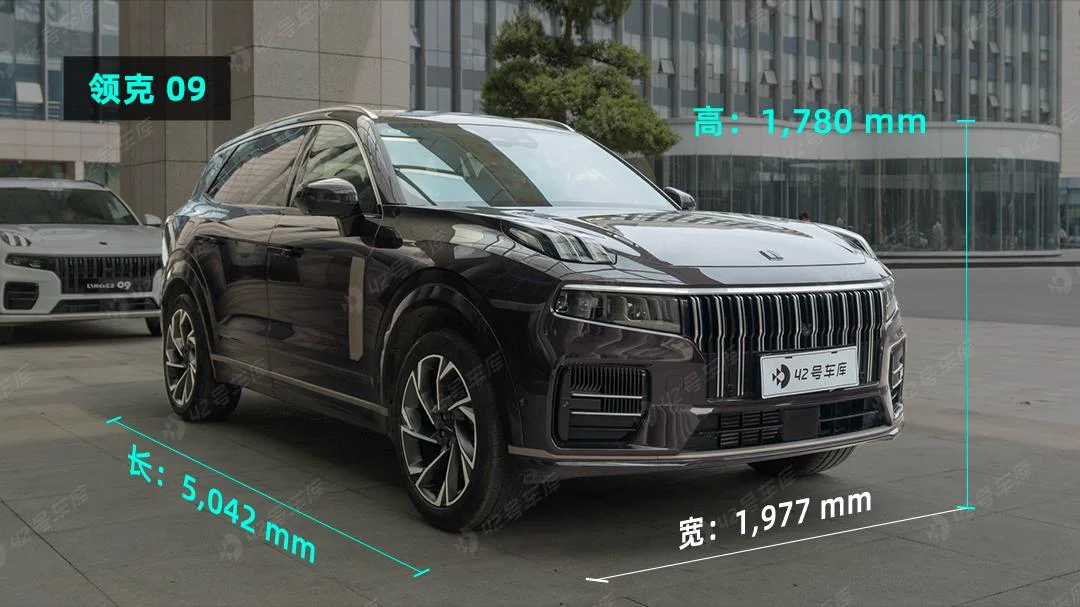
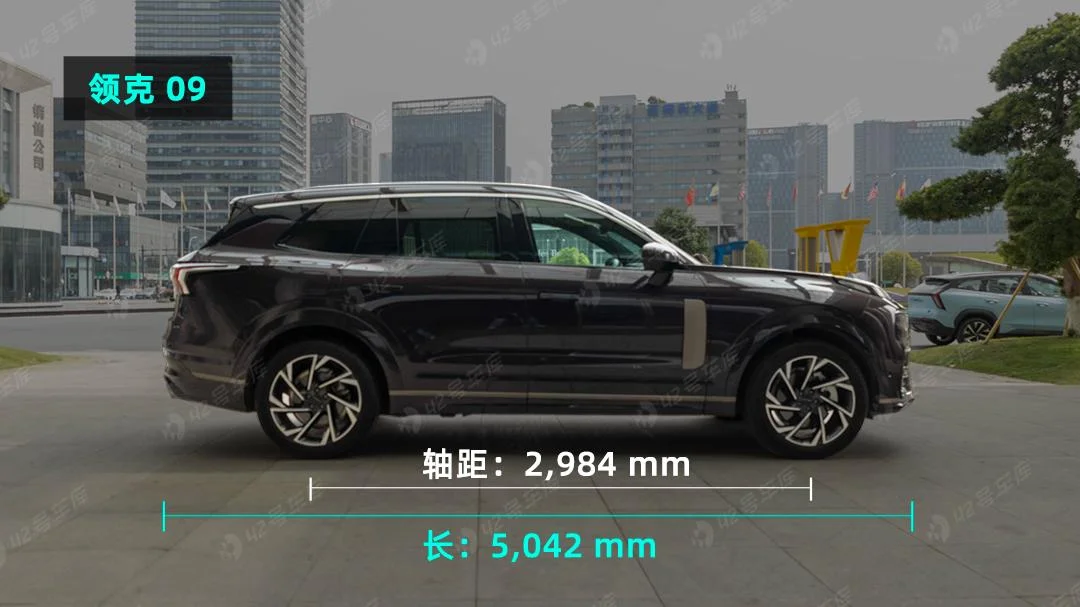
The Lynk & Co 09 is currently the largest model in the Lynk & Co lineup. Its overall dimensions are 5,042 x 1,977 x 1,780 mm, with a wheelbase of 2,984 mm, representing a very standard mid-to-large SUV size.
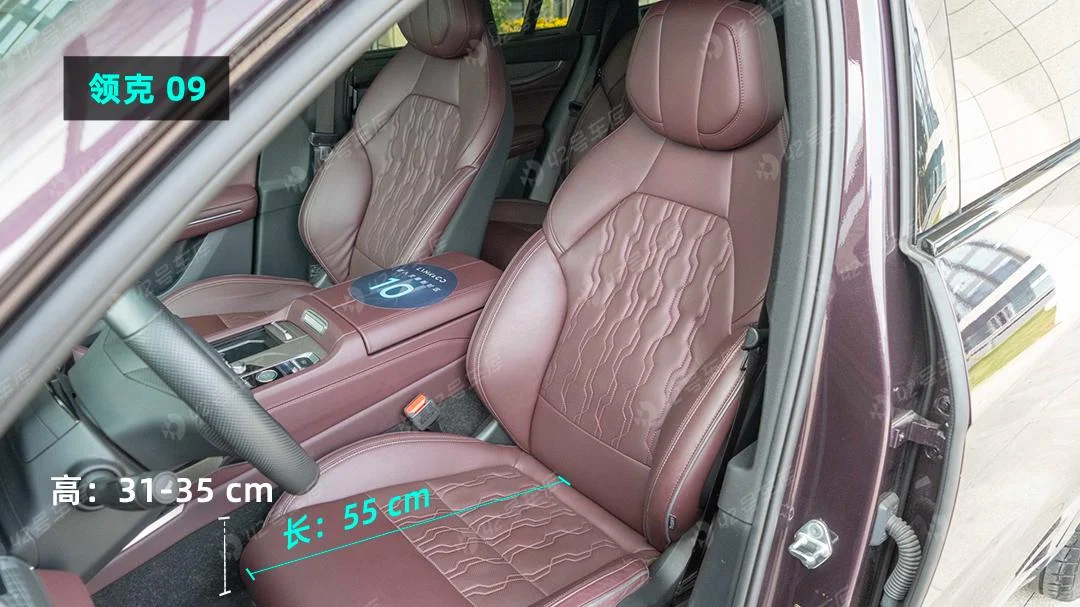
The front seat cushions measure 55 cm in length, providing excellent thigh support for occupants. However, the overall feel of the seats is somewhat firm.
The second-row seat cushions are slightly shorter in length, but their height matches the lowest setting of the front seats. The floor is not high, so there is no feeling of sitting on a small stool.
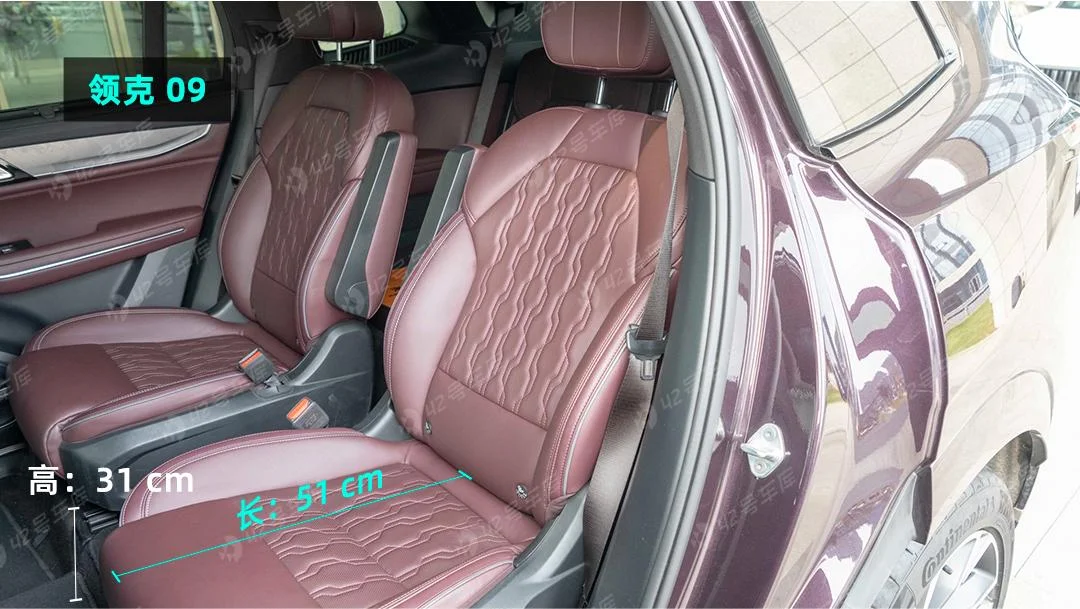
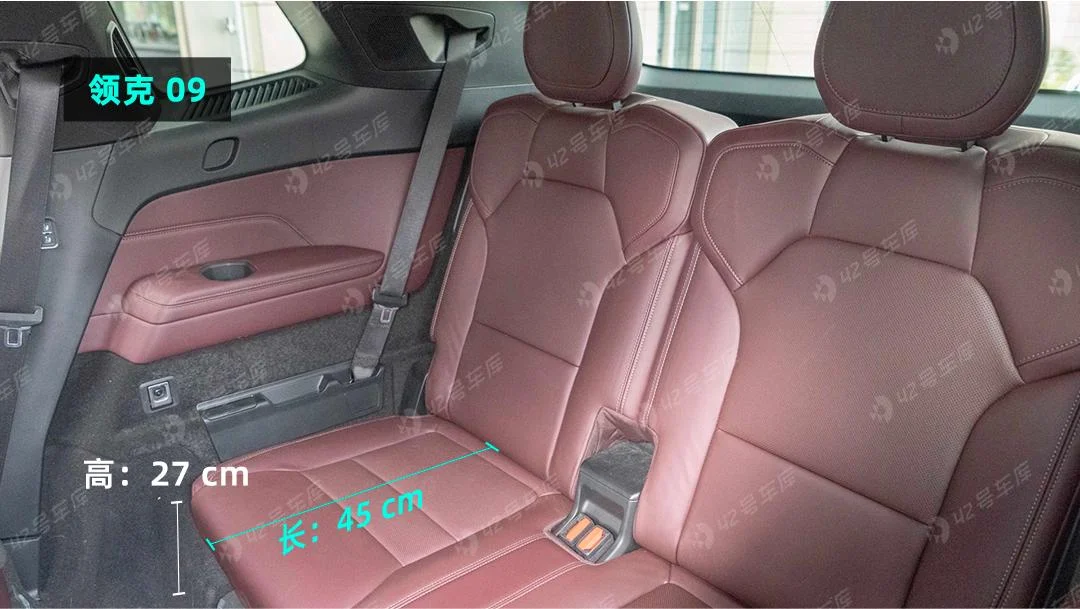
The third-row space is more cramped. Both the seat length and height are reduced compared to the second row. It is fine for temporary emergency use, but adults will certainly not be comfortable during long rides.
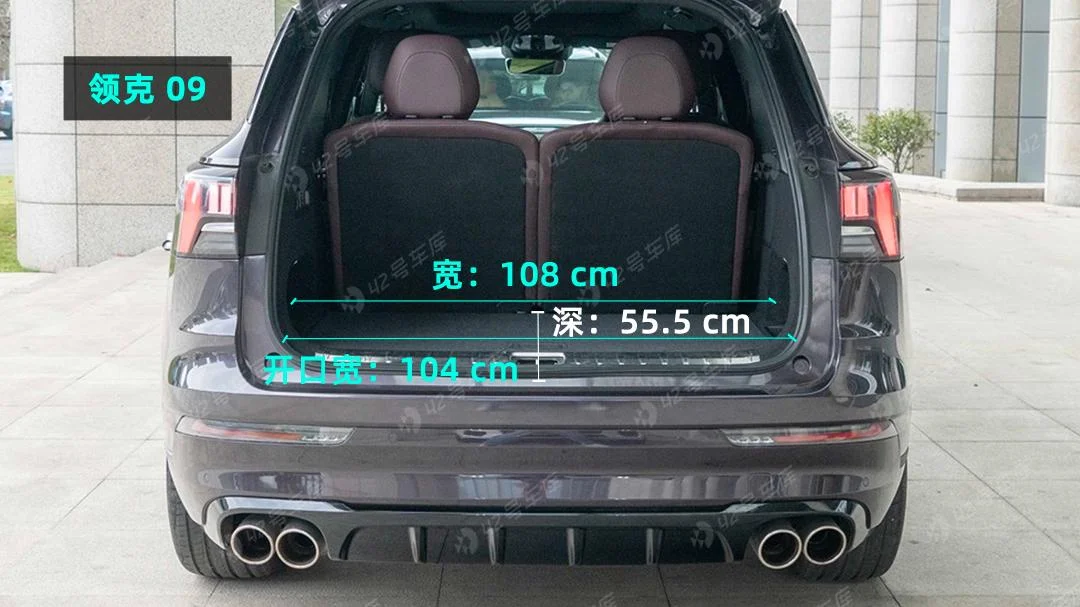
The trunk width is good, with some space on both sides for small items. However, due to the presence of the third-row seats, the depth is inevitably less than that of comparable five-seat SUVs. If the third-row seats are rarely used, they can be folded down permanently to increase storage capacity.
Since the focus of this experience is the infotainment system, for more information on the Lynk & Co 09, please refer to 'Can Take Corners, Can Also Travel Far: Road Test of the Lynk & Co 09 EM-P Long-Range Edition', which provides detailed static and dynamic reviews of this vehicle.
03Final Thoughts
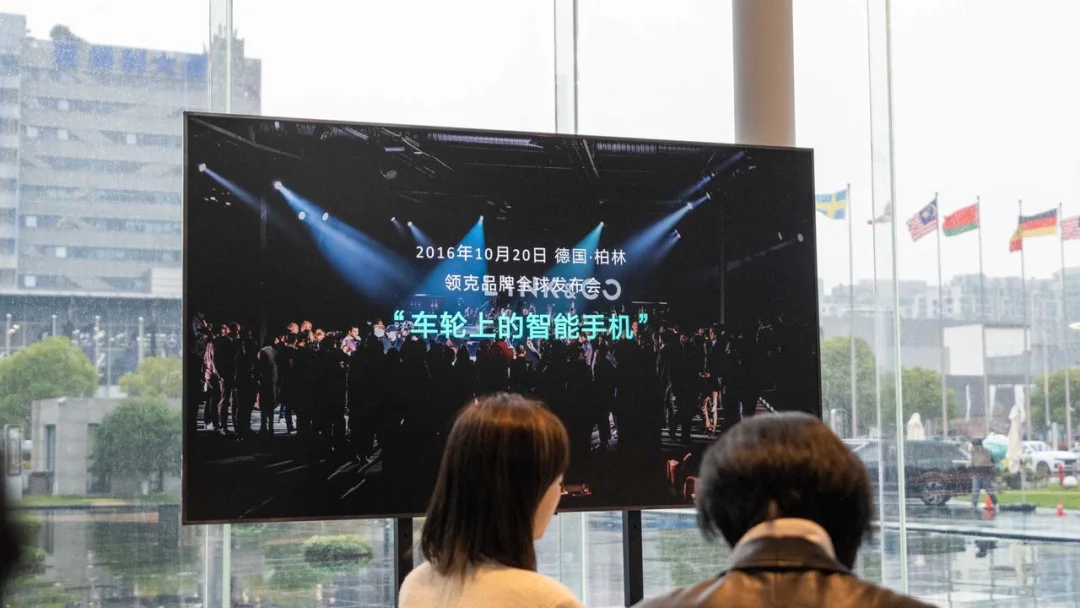
"A smartphone on wheels." This was the goal Lynk & Co set forth at its brand launch in 2016. By 2023, with LYNK OS N, Lynk & Co had finally truly achieved this vision.
Stable and smooth operation, free customization options, extensive adjustment settings, and a powerful voice assistant—features that were previously lacking in Lynk & Co's infotainment system. In some aspects, the user experience even surpasses that of several new-energy vehicle brands. Although issues such as frame drops and functional bugs remain, it must be acknowledged that LYNK OS N represents a significant leap forward for Lynk & Co's in-car systems. The brand is no longer "limited to just the infotainment screen."
Additionally, the company openly admitted that Meizu Technology Co., Ltd. provided assistance during the development of LYNK OS N. As a long-time Geely enthusiast, I am eager to see what kind of experience the Lynk & Co 08, which will be the first model to feature Meizu Technology Co., Ltd.'s Flyme Auto system, will offer.
No user-friendly infotainment system is developed overnight. The road ahead remains long, but Lynk & Co is now prepared for the journey.
Written by: JOJO Edited by: Jiang Xiaohei